· RNITS Cybersecurity · 8 min read
✦ Switch to AI viewLoading…
How Social Engineering Targets Your Help Desk — and How to Stop It
Attackers don't always hack systems — they hack people. This guide explains how social engineering targets help desks and what small businesses can do to stop it.

A hacker doesn’t always need a zero-day exploit or a sophisticated malware kit. Sometimes all they need is a phone call and a convincing story. That’s the reality of social engineering, and help desks are one of the most common targets because they’re designed to help people quickly — which is exactly what an attacker exploits.
A recent post on Reddit’s r/sysadmin community described how a Level 1 help desk technician nearly handed over credentials to an attacker who called in with a valid employee name, ID number, and home address. The caller sounded legitimate. The tech almost reset the password before catching a small inconsistency. That near-miss is more common than most business owners realize, and it happens at organizations of every size across New Hampshire and the rest of the Northeast.
If your business relies on any form of IT support — internal or outsourced — your help desk is a potential entry point. Here’s how these attacks work and what you can do to make them much harder to pull off.
Why attackers target help desks specifically
Help desks exist to solve problems fast. That creates a natural tension between speed and security. Technicians are trained to be helpful, and most of them handle dozens of calls or tickets per day. When someone calls sounding frustrated and gives what seems like valid identification, the instinct is to resolve the issue and move on.
Attackers know this. They count on it. Common tactics include:
- Calling with a real employee’s name and partial details pulled from LinkedIn or data breaches
- Creating urgency — “I’m locked out and have a client meeting in 10 minutes”
- Dropping internal jargon to sound like they belong
- Targeting after-hours or weekend shifts when experienced staff aren’t around
- Following up on legitimate tickets they’ve intercepted or overheard
The goal is almost always the same: get a password reset, an MFA bypass, or access to an account that opens the door to deeper access.
The real damage starts after the initial call
A successful social engineering attack on your help desk doesn’t just give someone a password. It gives them a foothold. From there, the attacker can:
- Access email and internal communications
- Move laterally through your network
- Escalate privileges to admin-level accounts
- Exfiltrate sensitive data before anyone notices
- Deploy ransomware or establish persistent access
The MGM Resorts breach in 2023 started with a social engineering call to their help desk. The attackers used information from LinkedIn to impersonate an employee, got a password reset, and within hours had access to critical systems. The total cost exceeded $100 million.
Your business may not be MGM’s size, but the technique works the same way against a 20-person company in Manchester or a medical practice in Lowell.
What makes small businesses especially vulnerable
Larger enterprises typically have dedicated identity verification procedures, separate security teams, and automated workflows that reduce human judgment calls. Small and mid-sized businesses usually don’t have those layers.
Common gaps in smaller organizations include:
- No formal identity verification process — technicians verify callers by asking questions the caller already knows the answers to (name, email, department)
- Shared admin credentials — if one account is compromised, the attacker has broad access
- No callback procedures — the technician handles the request on the same call instead of hanging up and calling the employee’s known number
- Limited logging — there’s no record of who requested what, making it hard to trace an attack after the fact
- Undertrained staff — help desk workers may not have received specific social engineering awareness training
These aren’t failures of effort. They’re gaps that happen naturally when a small team is focused on keeping things running. But they’re exactly the gaps attackers look for.
Building a verification process that actually works
The most effective defense against help desk social engineering is a structured verification process that doesn’t rely on information an attacker could already have. Here’s what that looks like in practice.
Use out-of-band verification
When someone requests a password reset or account change, don’t complete it on the same call. Instead:
- Tell the caller you’ll process the request and follow up
- Contact the employee through a different channel — their known mobile number, a Slack DM, or an in-person confirmation
- Only proceed once you’ve confirmed the request through that second channel
This one step eliminates the majority of phone-based social engineering attacks. An attacker can fake a call, but they can’t intercept a callback to the real employee’s personal phone.
Require a shared secret or verification code
Some organizations use a PIN or passphrase that employees set up during onboarding. The help desk asks for it during sensitive requests. This works as long as:
- The code isn’t stored where the help desk can see it in plain text
- It’s changed periodically
- It’s never communicated over the same channel as the request
Define which requests require extra verification
Not every help desk interaction needs heavy verification. A question about printer setup is different from a password reset on an admin account. Create tiers:
- Low risk (general questions, non-account tasks): Standard verification is fine
- Medium risk (password resets, MFA changes): Out-of-band verification required
- High risk (admin access, new device enrollment, VPN setup): Manager approval plus out-of-band verification
This keeps the process practical. Your team won’t push back against verification if it only applies to requests that genuinely carry risk.

Training your team to recognize the warning signs
Verification procedures only work if your team actually follows them — especially under pressure. Training should focus on the specific techniques attackers use, not just general security awareness.
Effective training covers:
- Urgency tactics — “I need this right now” is a red flag, not a reason to skip steps
- Authority claims — “The CEO asked me to call” should trigger more scrutiny, not less
- Information overload — when a caller volunteers too much detail upfront, they may be trying to preempt your questions
- Emotional manipulation — frustration, flattery, or threats are all tools in the social engineering playbook
- Unusual timing — requests that come in at odd hours or right before holidays deserve extra attention
Run tabletop exercises where someone on your team (or an outside partner) actually calls the help desk pretending to be an attacker. These simulated calls reveal gaps faster than any slide deck. The technician who falls for a simulated attack once rarely falls for a real one later.
Technical controls that back up your people
Training and procedures are essential, but they work best when supported by technical safeguards. These controls reduce the damage even if someone does get through.
Conditional access policies
Configure your Microsoft 365 or Google Workspace environment so that password resets alone aren’t enough. Require:
- Device compliance checks before granting access
- Location-based restrictions for sensitive accounts
- Step-up authentication for high-privilege operations
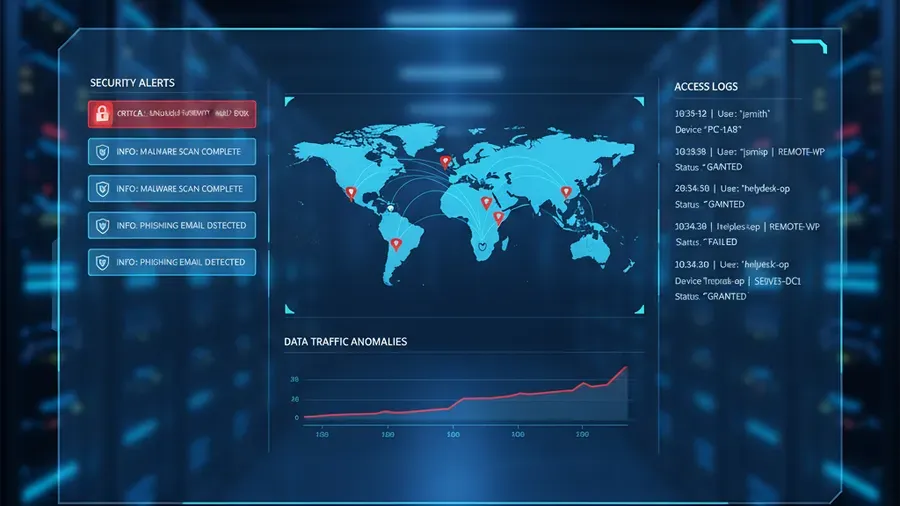
Logging and alerting
Every password reset, MFA change, and account modification should be logged and reviewed. Set up alerts for:
- Multiple password resets in a short window
- MFA method changes followed by immediate login from a new location
- Admin account modifications outside business hours
These alerts give you a chance to catch an attack in progress rather than discovering it weeks later.
Privileged access management
Don’t give help desk technicians standing admin access. Use just-in-time access tools that grant elevated permissions only when needed and only for a limited time. This limits what an attacker can do even if they successfully social-engineer a technician’s account.
What to do if you think it already happened
If a help desk technician suspects they may have been socially engineered — or if you discover a suspicious password reset after the fact — act quickly:
- Reset the affected credentials immediately and force re-authentication on all sessions
- Check login logs for the affected account — look for logins from unexpected locations or devices
- Review what the account accessed since the reset — email, file shares, admin consoles
- Notify your security team or IT provider so they can investigate lateral movement
- Document everything — when the call came in, what was said, what actions were taken
Speed matters here. The window between a successful social engineering attack and actual data theft can be very short. Having a clear incident response process in place before something happens makes the difference between a contained incident and a major breach.
Building a culture where verification isn’t awkward
One of the biggest barriers to good help desk security is social pressure. Technicians don’t want to seem unhelpful. Employees don’t want to feel distrusted. Managers don’t want their teams slowed down.
The fix is making verification normal — not something that happens only when there’s suspicion. When every password reset follows the same callback process, nobody feels singled out. When the CEO gets verified the same way as a new hire, the process has credibility.
Frame it clearly for your team: verification protects the employee being impersonated, not just the company. If someone is trying to take over your account, you’d want the help desk to catch it.
Where RNITS fits in
Most small businesses don’t have the resources to build, train, and maintain a security-aware help desk operation on their own. That’s where working with a managed IT provider makes sense — not as a luxury, but as a practical way to get procedures, training, and monitoring that would take months to build internally.
RNITS provides cybersecurity assessments and managed IT support specifically designed for small businesses in New Hampshire and Massachusetts. We help you build verification processes, train your staff on social engineering awareness, and set up the technical controls that catch attacks your team might miss.
If you’re not sure where your help desk stands today, a free cyber security audit is a good starting point. We’ll review your current procedures, identify the gaps, and give you a clear plan to close them — without overselling services you don’t need.
Contact RNITS to start the conversation.