Lifecycle Under Control
Consistent onboarding, offboarding, and license management, so accounts don't linger active after someone leaves and licenses don't quietly pile up.
Loading…
Ongoing administration that keeps Exchange, Teams, SharePoint, OneDrive, and Entra ID secure and organized — so the platform your business runs on every day doesn't quietly drift into risk.
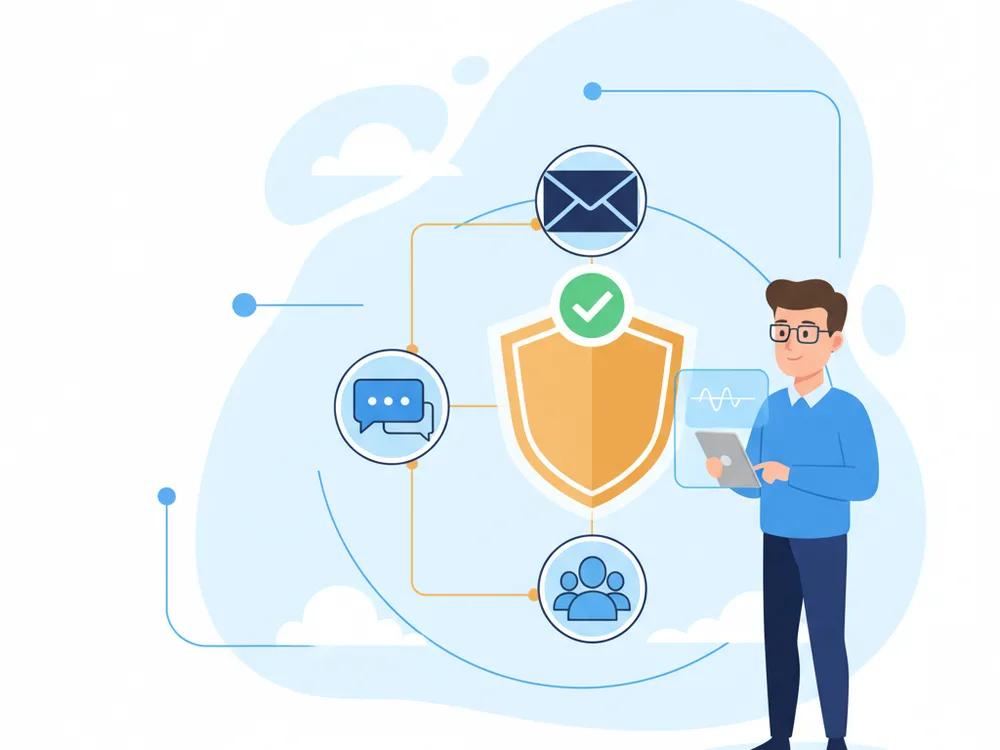
Microsoft 365 is tied to email, collaboration, identity, and file access. When it is mismanaged, the problems spread fast — and become business problems, not just IT problems.
Consistent onboarding, offboarding, and license management, so accounts don't linger active after someone leaves and licenses don't quietly pile up.
Entra ID access controls, MFA, and conditional access kept current — not settings enabled once and never looked at again.
Teams, SharePoint, and external-sharing structure kept clean, with reporting that gives leadership a real view of risk.
The operational side of Microsoft 365, with a focus on security and long-term maintainability.
Onboarding, offboarding, and license cleanup so access reflects who actually works there.
Day-to-day administration of Exchange, Teams, SharePoint, and OneDrive.
Identity access controls, MFA policy support, and conditional access guidance to harden sign-in.
Periodic review of security settings and external sharing so configuration doesn't quietly decay.
Retention, backup coordination, and compliance support aligned to your obligations.
Documentation, reporting, and change management so the environment stays explainable.

Microsoft 365 managed services help businesses keep Exchange, Teams, SharePoint, OneDrive, and Entra ID secure, organized, and easier to support. RNITS provides ongoing administration for companies that rely on Microsoft 365 every day but do not want to leave governance, security, and user management to chance.
Microsoft 365 is deeply tied to email, collaboration, identity, and file access. When it is mismanaged, problems spread quickly — mail flow issues, weak permissions, inconsistent offboarding, and messy Teams or SharePoint structures all become business problems, not just IT problems.
Many organizations adopt Microsoft 365 quickly, then discover later that no one is really managing the environment. Security settings stay half-configured, external sharing grows, admin privileges stay broader than they should, and license cleanup never happens. None of it is urgent until it is.
We treat Microsoft 365 as a core business platform, not just a software subscription — putting repeatable processes around user changes, security controls, and issue response. This work overlaps with cloud backup solutions, hybrid cloud solutions, cloud infrastructure management, and Google Workspace management when both platforms are in use.
With RNITS, your Microsoft 365 environment becomes easier to control and easier to explain. Users get fewer disruptions, leadership gets a clearer view of risk, and your internal team does not have to chase every admin issue on its own. That is especially useful for regulated businesses and growing organizations that depend heavily on Microsoft 365 but need stronger guardrails around it.
If Microsoft 365 is central to how your business works, we can help you manage it with more discipline and fewer surprises.
Repeatable processes around user changes, security, and issue response.
We review the tenant for permission sprawl, broad admin rights, weak offboarding, and half-configured security settings.
Identity and access improvements, MFA and conditional access, and a tightened security baseline.
Repeatable onboarding/offboarding, Teams and SharePoint structure, and retention and policy support.
Steady day-to-day administration, reporting, and issue response so your team isn't chasing every admin task.
We commonly support Exchange, Teams, SharePoint, OneDrive, and Entra ID administration as one coordinated environment.
Yes. We review identity settings, MFA, permissions, conditional access, and related platform policies, and keep them current rather than set-once.
Yes. User lifecycle management is a major part of keeping Microsoft 365 secure and organized, and it is one of the first things we standardize.
Yes. We support Microsoft 365 in both cloud-only and hybrid environments, tied to local identity and file systems where needed.
Protect critical data with policy-driven cloud backup solutions. RNITS ensures availability, regulatory alignment, and fast recovery for your organization.
Optimize cloud performance and costs with structured infrastructure management. RNITS delivers visibility, governance, and scalability across cloud platforms.
Move applications and data to the cloud with minimal disruption. RNITS provides controlled, predictable cloud migration for enterprise environments.
Combine on-premises and cloud infrastructure for flexibility and control. RNITS architects hybrid cloud environments optimized for performance and cost.
Keep Gmail, Drive, and Google Workspace running securely and efficiently. RNITS manages administration, security policies, and user lifecycle at scale.
Microsoft is retiring SharePoint one-time passcodes through November 2026. Older links to clients and vendors will start failing. Here is the 30-minute fix.
Microsoft dismantled EvilTokens, a $500/month phishing service whose AI read 12,000 stolen M365 inboxes to plan invoice fraud. What it did and what to check now.
Copilot creates no new access. It just makes everything a user can already reach instantly searchable. The oversharing was there for years — Copilot is the flashlight.
Onsite support within 150 miles of our offices in Tyngsboro, MA & the Richmond, VA area. Georgia & Florida and our other national markets are served remotely by the same team, on the same plans.
New Hampshire
Massachusetts
Virginia
Georgia
Florida
If you are comparing providers or planning your next step, RNITS can help you sort out the work and the order it should happen in — zero obligation.