· RNITS Managed IT · 13 min read
✦ Switch to AI viewLoading…
Hotel IT Support: Meeting Franchise Brand Standards Without Overpaying
Your flag mandates the WiFi, network, and PCI standards — and holds you responsible. Here's how to meet them without paying brand-vendor markup.
When you signed the franchise agreement for your hotel, you agreed to more than a sign on the building. You agreed to a technology standard — guest WiFi that performs to the brand’s spec, a network that passes PCI, payment and property-management systems that talk to the brand’s reservation platform, and security controls the flag can audit whenever it likes. Miss those and the consequences are not abstract. They range from a bad brand quality inspection to fines to, in the worst case, losing the flag entirely.
Here is the part nobody explains at the franchise sales meeting: the brand tells you what the standard is, but running to that standard is your problem as the owner or operator. And the vendors on the brand’s approved list know you are on the hook, so they price accordingly. We have looked at enough hotel IT invoices across New Hampshire and Massachusetts to say it plainly — a lot of franchised properties are paying premium rates for guest WiFi, network support, and phones because they assumed the brand-approved vendor was the only option that keeps them compliant. It usually isn’t.
This post walks through the three systems most franchisees ask us about — the network, guest WiFi, and phones — plus the PCI and security floor underneath all of them. The goal is simple: understand what your flag actually requires, so you can meet it without overpaying the vendor who knows you feel captive.
What your flag actually requires — and audits
Every major hotel brand publishes a technology standard, and while the details differ, the shape is the same across the national flags. As a franchisee you are contractually responsible for:
- Guest internet that meets a performance spec. Brands set minimum bandwidth per room and uptime expectations, and guest WiFi shows up directly in your guest satisfaction scores. Weak WiFi is not just an amenity complaint — it moves the numbers the brand grades you on.
- PCI DSS compliance. This is not optional and it is not new, but PCI DSS v4.0 became mandatory in March 2025, and the requirements got stricter. Non-compliance fines run as high as $100,000 per month, and that is before the cost of an actual breach.
- Network segmentation. Guest traffic, your payment systems, your property-management system (PMS), and back-office devices are not allowed to share one flat network. The brand requires separation, and PCI requires it independently.
- Approved integrations. Your PMS and point-of-sale (POS) have to connect to the brand’s reservation and loyalty platforms, which means specific, correctly configured, correctly maintained integrations — not a setup someone stood up once and never touched.
None of that is unreasonable. It is the modern floor for running a hotel that takes card payments and puts strangers on your network every night. The problem is not the standard. The problem is being told the only way to meet it is the brand’s premium vendor.
Guest WiFi: the amenity guests rank first
Start with the system your guests judge you on before they have unpacked. In survey after survey, roughly 92% of hotel guests name strong WiFi as a top booking priority — ahead of amenities that cost you far more to provide. A guest who can’t stream in their room writes the review. A guest whose video call drops during a work trip does not come back.
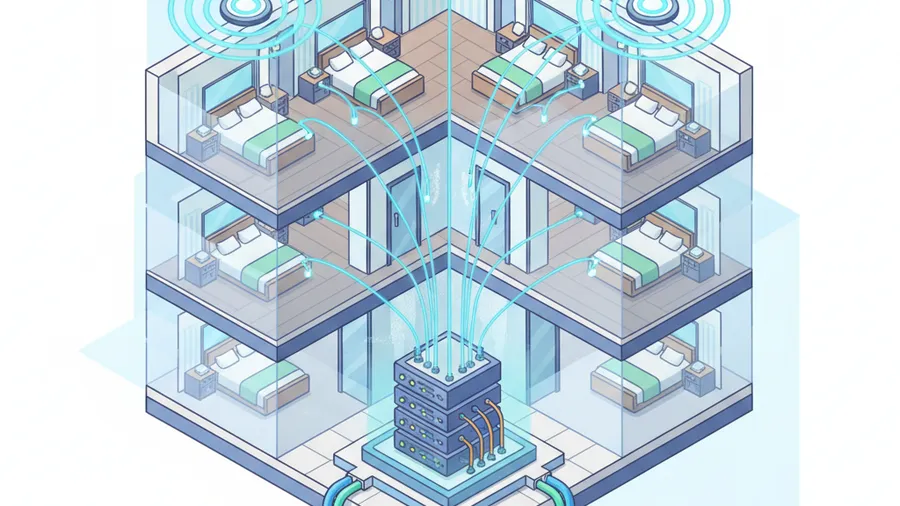
So it matters that most hotel WiFi problems are diagnosed backward. When rooms complain about dead zones and slow speeds, the instinct is to blame the access points and buy new ones. But the failure usually lives one layer down — in aging switches, tired cabling, and an internet circuit that was sized for a hotel with half the devices.
The WiFi 7 upgrade that quietly changes nothing
Here is a mistake we see often enough to warn you about it directly. A property decides to modernize, approves a WiFi 7 access-point refresh based on the shiny AP line item, and deploys the new hardware on the existing switches. Then the new APs throttle themselves down to stay within the old switches’ power limits (PoE+), and deliver throughput barely better than the WiFi 6 gear they replaced. The invoice was real. The improvement was not. Nobody checked whether the switches feeding the APs could actually power them at full capacity — which is exactly the kind of thing that gets caught when someone is looking at the whole network instead of one product line.
Bandwidth math that actually holds up
Brands set per-room minimums, but the useful way to size a hotel network is to do the math for real occupancy. A 30-room property at 80% occupancy needs roughly 120 to 240 Mbps of total usable bandwidth to keep guests happy, and current guidance runs about 10 to 25 Mbps per room for mid-scale properties, more for upscale. Every guest now arrives with a phone, a laptop, and often a streaming stick — three to four devices per room is normal, not heavy.
The number that matters is not what your circuit is rated for. It is what is left over for guests after your PMS, POS, cameras, and back office take their share — on a network that keeps all of that traffic properly separated. Getting guest WiFi right is really a network and device monitoring problem, which is why treating the WiFi as its own island is how properties end up with a fast circuit and slow rooms.
The network underneath: segmentation isn’t a suggestion
Guest WiFi sits on top of the network your business actually runs on, and this is where brand standards and PCI stop being paperwork and start being the thing that keeps you out of a breach notification.
The rule is straightforward: guest traffic must never be able to reach the systems that handle card data. A guest on your WiFi should be able to get to the internet and nothing else — not your POS, not your PMS, not your cameras, not the back-office PCs. PCI DSS requires this separation, your brand requires it, and the attack data explains why both do.
In hospitality breaches, POS and payment systems are the targeted system in about 72% of cases, guest WiFi in 56%, and front-desk systems in 34%. When those live on the same flat network — which we still find in hotels that “have always done it this way” — a compromised guest laptop or a phished front-desk login becomes a direct path to cardholder data. The cost of getting this wrong is not theoretical: the average hospitality data breach now runs about $9.23 million once you count response, legal exposure, and brand fallout, and 44% of attacked hotels reported 12 or more hours of downtime — a front desk that can’t check anyone in during peak arrival.
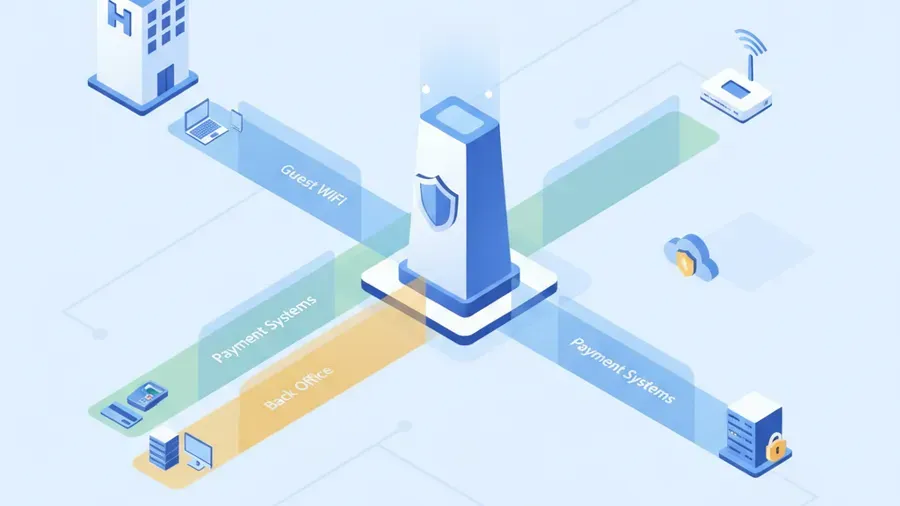
Segmentation done right means separate networks for guests, payment/PMS, back office, and building systems, with a properly configured firewall between them and monitoring that actually watches the boundaries. That last part matters because segmentation is not a set-and-forget project. Configurations drift, someone plugs the wrong device into the wrong jack, a firmware update resets a rule. Remote monitoring and management is what keeps the separation you paid for from quietly eroding between brand audits. And when the PCI questionnaire comes due, PCI DSS compliance support is far easier when the network was built to pass it in the first place instead of being retrofitted the month before the deadline.
Cloud phones: the front desk can’t drop a call
The third system franchisees ask about is the phone, and it is the one most likely to be running on equipment older than some of the staff. Legacy on-premise PBX hardware is expensive to maintain, impossible to support remotely, and a genuine risk the day the one technician who understood it retires.
A hosted cloud phone system fixes the reliability problem and usually cuts the bill at the same time. For a hotel specifically, the features that matter are not exotic:
- Calls that survive an internet hiccup. If the circuit drops, calls automatically forward to a mobile or an alternate line. A flagged property cannot send a prospective guest to a dead line during business hours — that is a booking walking to the hotel down the road.
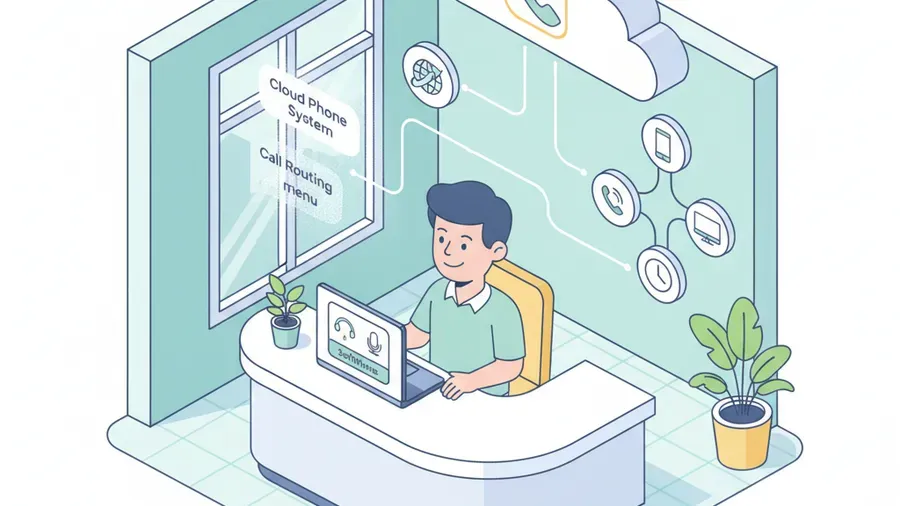
- Auto-attendant and routing. Front desk, reservations, housekeeping, and after-hours all handled by a professional greeting and menu instead of a phone ringing at an empty desk.
- Softphones for a mobile staff. A manager can take the front-desk line from anywhere in the building — or from home during an overnight incident — on a laptop or phone.
- Honest, flat pricing. Our cloud business phone system is $15 per user per month, everything included — unlimited US and Canada calling, softphone, call recording, and number porting. Most providers advertise $20 to 25 and land at $30 to 40 once the softphone license, recording, and regulatory fees hit the invoice. Over a full property, that gap is real money.
The phone runs on the same network as everything else, which is the recurring theme of this whole post: these are not four separate vendor relationships. They are one connected system, and they succeed or fail together.
The brand-approved vendor markup
So why do so many franchised properties overpay? Because the brand hands you a list of approved or preferred technology vendors, the assumption sets in that the list is the only compliant option, and those vendors price for a customer who believes they have no alternative.
Here is what is actually true. The brand sets the standard — bandwidth, segmentation, PCI, integrations. It does not, in most cases, require one specific local support company to hold your hand for a premium monthly fee. A competent managed IT provider can build and run your environment to the brand’s published standard, document it, and hand you the evidence when the brand or a PCI assessor asks. Meeting the spec is what matters. Being locked to the priciest vendor who happens to know the spec is not the same thing.
What we do differently for hotels is the same thing we do for every client:
- We show up. We are based in Tyngsboro, MA, and provide onsite support across New Hampshire and Massachusetts within 150 miles — which matters when a switch dies at a property, not a help desk in another time zone.
- Pricing is published and flat. No captive-customer markup, no three-year lock-in with a termination penalty, no “call us for a quote” until a salesperson has sized up your budget.
- We onboard in 24 to 48 hours, not the one to two weeks that is standard in this industry.
How RNITS runs a franchised property’s IT
Put the pieces together and a hotel’s IT is one managed environment, not a pile of separate subscriptions:
- Network built to pass. Proper segmentation of guest, payment, PMS, and back-office traffic, with a firewall configured to brand and PCI standards and documented topology so support is not guesswork.
- Guest WiFi that performs to spec. Sized to real occupancy, with the switches and cabling underneath actually able to deliver what the access points promise — and monitored so a degrading link is caught before the reviews are.
- Phones that don’t drop. A hosted system with failover, auto-attendant, and softphones, at honest flat pricing.
- A security floor that holds up to audit. MFA enforced, endpoint protection everywhere, monitored and tested backups, and patching — the controls PCI v4.0 and your cyber insurance both now expect.
- Monitoring that keeps it compliant between audits. Because the expensive failures are the ones nobody was watching for.
You get one accountable partner for the whole environment instead of a WiFi vendor, a phone vendor, a network vendor, and a security vendor pointing at each other while your front desk waits.
Frequently asked questions
Does my hotel brand require a specific IT vendor?
Almost never. The major hotel brands set technology standards — guest WiFi performance, PCI compliance, network segmentation, approved PMS/POS integrations — and hold the franchisee responsible for meeting them. They typically publish approved or preferred vendor lists, but those are options, not a mandate to use the most expensive one. Any competent managed IT provider can build and document your environment to the brand’s published standard.
Is PCI compliance really mandatory for a small franchised hotel?
Yes. Any property that accepts card payments falls under PCI DSS, regardless of size, and PCI DSS v4.0 has been mandatory since March 2025. Non-compliance fines reach $100,000 per month, and that is separate from breach costs — which in hospitality average around $9.23 million. Network segmentation that keeps guest WiFi away from your payment systems is one of the core requirements, and it is also just good sense.
Why is our hotel WiFi slow even though we pay for a fast circuit?
Usually because the bottleneck is not the circuit. Most hotel WiFi problems trace to aging switches, tired cabling, or access points that were added to a network that was never sized for today’s device counts — three to four devices per guest is now normal. A network review looks at the whole path from the internet handoff to the guest room, not just the access points, and sizes bandwidth to your real occupancy.
Can we switch hotel IT vendors without breaking brand compliance?
Yes, as long as the new provider builds and runs your environment to the brand’s standard and can produce the documentation the brand and PCI assessors ask for. The compliance lives in how the network, payment systems, and security controls are configured — not in the name of the company supporting them. A clean migration keeps you compliant throughout the transition.
How much should a franchised hotel pay for managed IT?
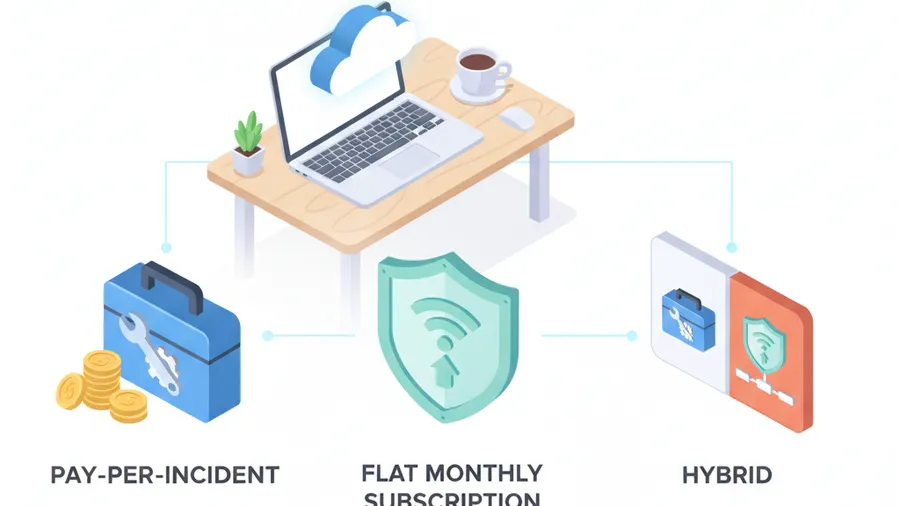
It depends on room count, systems, and how much is onsite versus remote — but the honest test is whether the pricing is transparent and the scope is clear. Captive-vendor markup shows up as vague quotes, long lock-in contracts, and per-feature add-ons. Our phone system, for example, is a flat $15 per user per month all-in, and our managed IT tiers are published. If your current provider’s pricing gets vaguer the more you ask, that is worth noticing.
Get a straight answer on your property’s IT
If you run a franchised hotel in New Hampshire or Massachusetts and you are not sure whether you are meeting your brand’s IT standards — or you suspect you are overpaying the vendor who told you that you had to — the fastest way to find out is to look at the actual environment: how your network is segmented, whether your WiFi is sized to your occupancy, what your phone system really costs, and where the PCI gaps are.
That is exactly what our free cyber security audit produces, and it comes with a straight read on what your flag requires versus what you are currently paying for. We are based in Tyngsboro, MA, onsite across New Hampshire and Massachusetts within 150 miles, and remote nationally.
Or just start a conversation. We will walk your property’s setup with you before anyone talks about a contract.
The Rnits Company. The un-MSP. (978) 226-8931.