· RNITS Compliance · 15 min read
✦ Switch to AI viewLoading…
Your Biggest Client Wants to Know What AI You Use
Vendor security questionnaires now have an AI section. Here is what it asks, why "we have a BAA" fails it, and the four things you need in place first.
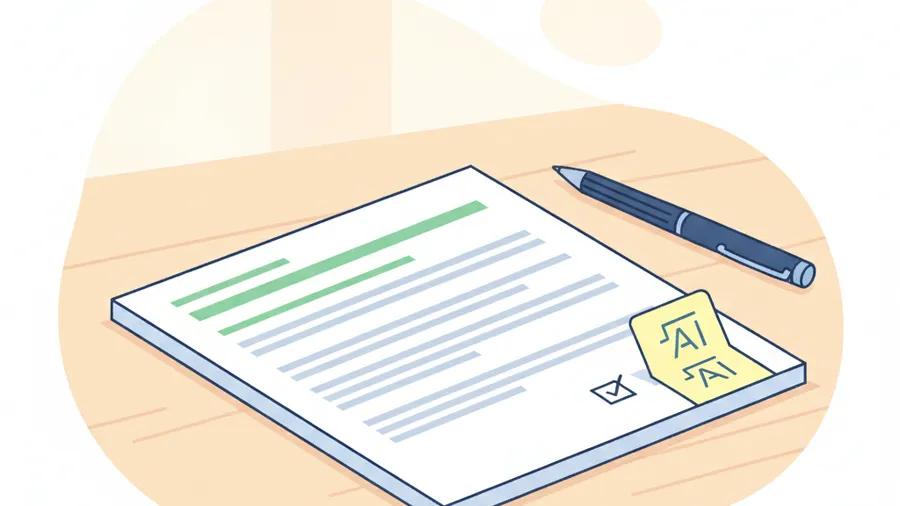
A client of ours got the annual vendor security questionnaire from their largest customer last month. Same customer, same packet, third year in a row. This time it was four pages longer, and the new pages were about AI.
Not “do you use AI, yes or no.” Which models. Trained on whose data. Which of your subprocessors can see ours. What happens when the output is wrong and somebody acts on it. Who reviewed it before it reached us.
The owner’s first instinct was to answer “we don’t use AI.” That would have been false, and he knew it while he was thinking it. His office manager had been drafting proposals in ChatGPT since March, and his bookkeeper was using Copilot inside Excel because it showed up in a license they already paid for. His second instinct was “yes, we use AI responsibly,” which is worse than the false answer, because vague answers generate a follow-up call from someone in procurement who does this all day.
There is a real answer available. It takes four specific things being true, plus understanding one thing about AI vendor contracts that almost nobody gets right.
What the AI section actually asks
If your customer is large enough to have a procurement department, the questionnaire they send you is probably not homegrown. The most common one in circulation is the Shared Assessments SIG. The 2026 edition added coverage across the whole AI lifecycle: how data gets collected, how models get trained, how systems get deployed, how bias gets monitored. SIG Lite runs 128 questions. SIG Core runs 627.
Nobody sends a 15-person firm the 627-question version. But the AI questions that make it into the trimmed-down versions tend to cluster around the same five subjects:
- Model provenance. Which AI systems do you use, from which vendors, on which service tier.
- Training-data rights. Can the vendor train on what you put in? Have you turned that off? Can you prove it?
- Hallucination controls. When the model is confidently wrong, what stops that from reaching the customer as fact?
- AI subprocessor transparency. Your AI vendor is now a subprocessor of your customer’s data. Is it on the list you already gave them?
- Framework alignment. Increasingly they ask whether you map to ISO 42001 or the NIST AI Risk Management Framework.
The framework question is the one worth being honest about. If a 20-person company answers “yes, we are aligned to ISO 42001,” the next question is “show us.” You are better off writing “we have not adopted a formal AI management standard; here are the controls we do operate,” and then listing them. Reviewers are not scoring you against a Fortune 500. They are checking whether anyone at your company has thought about this at all. A short, specific, verifiable answer beats an impressive one you can’t back up.
The part everyone gets wrong: “we have a BAA”
This is the section to read twice. It is the most common wrong answer we see, and it comes from people acting in good faith.
A medical practice handling protected health information knows the drill: any vendor touching PHI needs a Business Associate Agreement. So the reasoning goes, we bought the enterprise AI plan, the enterprise plan comes with a BAA, therefore PHI in that tool is covered.
It is not that simple, and Anthropic’s own published privacy documentation is unusually clear about why. Take it as the example because they spell it out in writing, and the pattern holds across the industry.
Which tiers can get a BAA at all. Anthropic will sign a HIPAA BAA, but only for Claude Enterprise (which is sales-assisted, not self-serve) and the first-party Claude API. Free, Pro, and Max have no BAA option. None. If your practice manager is on a $20 Pro subscription, no contract exists that makes that compliant, regardless of what the privacy page says about training.
Even on the eligible tier, it is not automatic. For Claude Enterprise, the organization’s Primary Owner has to go into organization settings, open “Data and privacy,” activate HIPAA compliance, and accept the BAA. A standard Enterprise plan where nobody clicked that is not covered. We have watched a business assume they were covered for a year on the strength of the invoice.
And here is the part that changes the whole answer. Once HIPAA mode is on, coverage applies to some surfaces and not others. Covered: Chat, Projects, Artifacts, Voice, Web Search, Research, Skills. Explicitly excluded from BAA coverage: Batch API, Files API, Skills API, Code Execution, Computer Use, Web Fetch, Cowork, Claude for Office (the Excel, PowerPoint, and Docs integrations), Claude Design, Workbench, Claude Console, and, in Anthropic’s own words, “features involving third-party data flows (MCPs/Connectors, Enterprise Search, Claude in Chrome).”
Read that exclusion list again and notice what it is. It is the connector surface. The integrations. The parts that make the tool genuinely useful to a small business instead of a fancy text box. The moment you wire the assistant into your file store, your CRM, your ticketing system, or your browser, you have left the covered surface.
So “we use Claude Enterprise and we have a BAA” is not an answer to the questionnaire. Which surfaces you have enabled is the answer. A practice using Chat and Projects with HIPAA mode activated is in a defensible position. The same practice with a connector pointed at the folder holding scanned intake forms is not, and the contract they are relying on says so in plain language.
OpenAI’s shape is the same, with different labels. BAAs are available on the API for zero-data-retention-eligible endpoints and on the sales-managed ChatGPT Enterprise and Edu plans. Not on the self-serve ChatGPT Business plan. Across the frontier vendors the pattern is consistent: nothing on free or self-serve tiers, BAAs available on managed enterprise tiers, and feature-level exclusions layered on top of the ones that qualify.
The practical takeaway is unglamorous. Privacy features listed on a pricing page are marketing. A BAA is a signed contract with an appendix telling you which buttons you are allowed to press, and somebody at your company should have read that appendix. If nobody has, that is a two-hour job. Our HIPAA compliance work starts there, because it determines everything downstream.
The four things you need in place before you answer
None of this requires buying anything new. All four of these are configuration and writing.
1. Scope what the connectors can reach
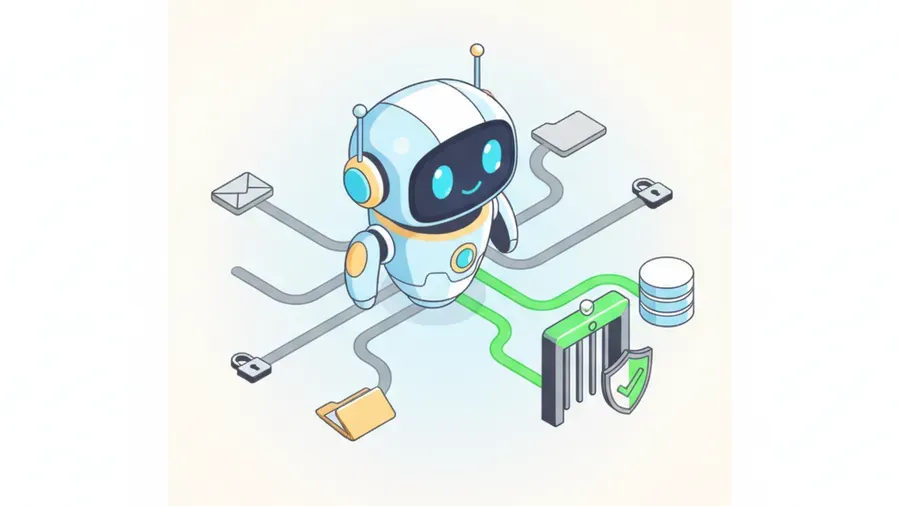
A connector is not a feature you turn on. It is a set of permissions you grant, and the default grant is almost always broader than the job requires.
When somebody connects an AI assistant to SharePoint so it can summarize project notes, the usual result is an assistant that can read every file that person can read. For a bookkeeper or an office manager, that is often the entire business: payroll, HR files, client contracts, the scanned insurance paperwork. Nothing malicious is happening. The assistant is answering questions using everything within reach, and “everything within reach” was never deliberately chosen.
Scoping means three decisions, made once per connector and written down:
- Which specific sites, folders, or mailboxes this connector can see, chosen by inclusion rather than exclusion.
- Whether it can write, or only read. Read-only is the right default and covers most real uses.
- Who is allowed to create a new connector. In a small business this should be one named person, and it should not be whoever is most excited about AI.
The last one matters more than it sounds. Connectors are self-service by design. A user with the right subscription can wire an AI tool into a company data source in about ninety seconds, without an admin ever seeing it. That is the same problem as employees quietly adopting AI tools nobody approved, except the blast radius is your file server rather than a single chat window.
2. Put a gate in front of anything you cannot undo
Reading is recoverable. Sending is not.
The useful distinction is not “AI good, AI bad.” It is which actions can be reversed. An assistant that drafts an email into a folder for review has done something you can walk back. An assistant that sends it has not. Same for posting to a client portal, updating a record, issuing a credit, or moving money.
So draw the line at irreversibility and put a human on the far side of it:
- Anything leaving the company gets reviewed by a person who is accountable for it. Not skimmed. Read.
- Anything that writes to a system of record gets reviewed the same way.
- The review is a named role, not “somebody should check.” Questionnaires ask who, and “the team” is not a who.
This is also the honest answer to the hallucination-controls question, and it is a better answer than most enterprises give. You are not claiming the model never invents things. You are describing where a wrong output would get caught before it did damage. That is a control a reviewer can actually evaluate.
3. Write down the client-data line
One page. Plain sentences. What client information may go into which AI tool, and what may not.
Two rules make it work. First, the line has to be specific enough to apply without judgment calls. “Use good discretion with sensitive data” is not a rule, it is a wish. “Client names, account numbers, medical information, and anything from the Contracts folder do not go into any AI tool other than Copilot in our own tenant” is a rule, and an employee at 4:45 on a Friday can follow it.
Second, it has to name tools, not categories. Employees do not think in categories. They think “I have ChatGPT open.” If the policy says “approved AI tools,” everyone will assume the one they are already using is approved.
Then tell people. A rule nobody was trained on exists only in the questionnaire response, and reviewers ask how you communicate it. Twenty minutes at a staff meeting and a copy in the handbook is enough for a small company. We build the practical version of this into AI governance work, and it is usually shorter than the email announcing it.
This puts you further ahead than it feels like it should. A 2026 Founder Reports survey found 59% of workers at companies with fewer than ten employees say their employer has no clear AI policy at all. One page separates you from most of the competitors bidding on the same work.
4. Have an audit trail, and know exactly what it does not contain
Most people either assume they have no audit trail or assume they have a complete one. Both are wrong, and Microsoft’s documentation is specific enough to quote.
If you run Microsoft 365 with auditing turned on, Copilot interactions are logged automatically under Audit (Standard). No extra configuration, no extra license. That part is free and already running in most tenants.
What the log contains is the interesting part. The audit record’s Messages property holds a message ID and an isPrompt boolean flag. It does not contain the text of the prompt or the response. If you need the actual words, you run a Purview eDiscovery search against the user’s mailbox, where prompts and responses are stored as messages. Two different tools, two different access paths, and the one people assume covers it does not.
The genuinely valuable field is AccessedResources. For every interaction it lists each file, document, or email Copilot read to build its answer, along with SensitivityLabelId, the action taken (read, create, modify), and whether a policy blocked it. That means you can answer the question a client actually cares about: did this AI tool touch information we labeled sensitive? The records also carry JailbreakDetected on prompts and XPIADetected for cross-prompt injection attempts on accessed resources.
Now the catch, and you want to know this before you promise anything in writing. Audit logs for non-Microsoft AI applications are not included in an enterprise subscription. They exist, under the AIAppInteraction record type and the AIApp workload, and they retain for 180 days. But they have to be explicitly enabled, they are pay-as-you-go, and they are billed per audit record ingested. So the Microsoft half of your AI audit trail is free and already on, and the everything-else half has a meter attached to it.
That is a budget conversation, not a blocker. Retention is 180 days on Audit (Standard) and 365 days by default on Audit (Premium), configurable up to ten years. Most small businesses land in a sensible place: leave the free Microsoft logging on, then decide deliberately whether the third-party logging is worth the ingestion cost given how much you actually use those tools. A documented “we accepted this gap and here is why” is a legitimate questionnaire answer. An undocumented gap is not.
SOC 2 does not cover your AI unless someone put it there
This one catches people who thought they were ahead of the game.
SOC 2’s Trust Services Criteria contain no AI-specific control by default. An AI control has to be deliberately added to the description of the system. If you have a SOC 2 report and you assume AI use is inside it, check, because otherwise your auditor tested access controls and change management and never looked at the assistant your staff pastes client documents into.
Clients assume the opposite. They see SOC 2 in your response, file the AI section as answered, and move on. If a control was never in scope, saying so is better than a client discovering it during an incident. Adding AI controls to the next examination is a scoping conversation with your auditor, not a rebuild. Raise it before a client raises it for you.
If you handle CUI, this section is a stop sign
Defense contractors and their suppliers have a harder constraint, and vendor marketing muddies it badly enough that it needs stating flatly.
Under DFARS 252.204-7012, any cloud service that processes, stores, or transmits Controlled Unclassified Information has to hold FedRAMP Moderate authorization at minimum. No major commercial AI service’s standard consumer or business tier meets that bar. ChatGPT holds a FedRAMP 20x Low accreditation, which is real but is not sufficient for CUI.
The practical consequence: putting CUI into commercial ChatGPT, Claude, or standard commercial Copilot moves that CUI outside your assessment boundary. It is not a finding you argue about with an assessor. It is a data spill.
The compliant paths are narrower and more expensive. A government cloud, meaning Azure Government or GCC High with the corresponding Copilot offering, or a private deployment on infrastructure inside your own boundary. If you are pursuing CMMC and someone in your shop has been running drawings or statements of work through a commercial AI tool, that is the first thing to stop this week, before any policy gets written.
What to do this week
In the order we would tackle it:
- Find out what is in use. Do not send a survey, go look. Check which AI subscriptions appear on the credit card statement, and check the Microsoft 365 admin center for which users have Copilot licenses assigned.
- Check the tier and the contract. For each tool, what plan is it on, does that plan support a BAA if you need one, and did anyone actually execute it. Write the answer down next to the tool name.
- List the connectors. Every connection between an AI tool and a company data source. Then narrow the scope of each one to what the job needs, and turn off the ones nobody can justify.
- Draw the irreversibility line. Decide which AI-assisted actions require a human before they take effect, and name the human.
- Write the one page. Which tools, which data, who to ask when it is unclear.
- Confirm auditing is on in Microsoft 365, and make a deliberate decision about third-party AI logging rather than discovering the meter later.
That list is not exciting and it is not long. The reason it is worth doing before the questionnaire arrives is that every item takes ten minutes when you are calm and a week when a client is waiting.
Where we come in
Answering a security questionnaire honestly is a strange job. It sits between IT, legal, and sales, and in a small business it lands on whoever has the least time. The answers have to be true, defensible if challenged, and consistent with what you said last year and what is on your insurance application.
That is the work our virtual CISO service exists for. Not a dashboard. A person who reads the appendix, checks whether the control actually operates the way the answer claims, and tells you plainly when the honest answer is “not yet, and here is our timeline.” Clients respect that answer far more often than people expect. What they do not respect is discovering that a confident answer was wrong.
RNITS is an IT and cybersecurity company in Tyngsboro, Massachusetts, working with small businesses across New Hampshire and Massachusetts. Onsite within about 150 miles, remote nationally. We are not going to sell you an AI governance platform to solve a problem that four configuration changes and one page of writing will solve.
If a questionnaire is sitting on your desk right now, or you would rather sort this out before one shows up, get in touch and we will go through your actual tools and tiers with you.
The Rnits Company. The un-MSP. (978) 226-8931.