· RNITS AI Security · 14 min read
✦ Switch to AI viewLoading…
Your Employees Are Feeding Client Data to ChatGPT — The Shadow AI Problem SMBs Can't Ignore
68% of employees use unauthorized AI tools at work. For regulated SMBs, every prompt is a potential compliance violation. Here's what shadow AI actually looks like and how to stop it.
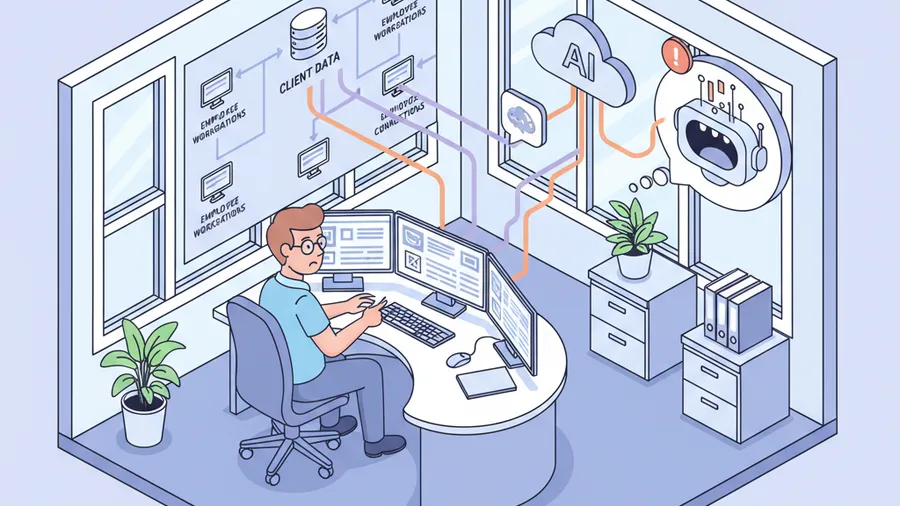
The partner at a 15-person law firm in southern New Hampshire pulled us aside during an onboarding call last month. He had a question he did not want to ask in front of his staff.
“If one of my paralegals copies a client’s medical records into ChatGPT to summarize them for a demand letter — is that a HIPAA violation?”
Yes. Unambiguously yes. And based on what we found when we audited the firm’s browser history during the security assessment, at least four people in the office had been doing exactly that for the better part of a year.
Nobody told them to, nobody approved it, and nobody knew it was happening until we looked. That is shadow AI. Not a theoretical risk in a Gartner report. It is happening in real offices, at firms that handle real client data, right now.
What shadow AI actually is
Shadow AI is any artificial intelligence tool that employees use for work without IT approval, security review, or management awareness. It is the 2026 version of shadow IT — the same pattern that gave us unsanctioned Dropbox accounts and personal Gmail forwarding rules a decade ago — except the data exposure is orders of magnitude worse because of how large language models work.
When an employee pastes a contract into ChatGPT, that text is sent to OpenAI’s servers. Depending on the plan and the settings, it may be used for model training. Even if training is disabled, the data has left your network, traversed infrastructure you do not control, and been processed by a system whose data retention policies your employee almost certainly has not read.
The numbers are not subtle. Verizon’s 2026 Data Breach Investigations Report found that shadow AI usage in the workplace increased fourfold year over year. BlackFog’s research puts the number at 49% of employees using unsanctioned AI tools. Other surveys push it higher — the 68% figure that gets cited most often comes from a Salesforce study, and it specifically measured employees who admitted to using AI tools that had not been vetted by their employer.
The real number is almost certainly higher. People do not volunteer information about things they suspect they are not supposed to be doing.
Why employees use unauthorized AI tools
The reason is not malice. It is convenience, and it is worth understanding before we get into the compliance fallout.
A paralegal discovers that ChatGPT can summarize a 40-page deposition transcript in 90 seconds. An accountant finds that Claude can draft a client memo from bullet points faster than they can type it. A project manager realizes that Gemini can build a Gantt chart from a list of tasks pasted into a prompt. None of these people are trying to create a data breach. They found a tool that makes their job easier and they started using it.
The problem is that “easier” and “safe” have nothing to do with each other.
The tools are free and frictionless. ChatGPT, Claude, Gemini, Copilot, Perplexity — all of them have free tiers that require nothing more than an email address. No procurement process. No IT ticket. No approval chain. An employee can go from “I wonder if AI could help with this” to “I just pasted our client list into a prompt” in under two minutes.
IT has not provided an alternative. This is the part most MSPs will not say out loud because it implicates them. If your IT provider has not stood up a sanctioned AI platform with clear usage policies, your employees are going to find their own. That is not a character flaw. It is a predictable response to a tool gap. The responsibility for filling that gap belongs to whoever manages your technology stack.
Management is using it too. We have seen this at multiple clients. The owner or a senior partner is using ChatGPT themselves — sometimes openly, sometimes not — and the rest of the staff takes that as implicit permission. If the boss is pasting client financials into a prompt, the bookkeeper is not going to think twice about doing the same.
The compliance math that makes this an emergency
Shadow AI is not just a security hygiene problem. For regulated industries — and if you are a small business in New Hampshire or Massachusetts handling healthcare data, legal records, financial information, or defense contracts, you are in a regulated industry — it is a compliance violation that is already happening.
HIPAA
The Health Insurance Portability and Accountability Act requires covered entities and their business associates to control where protected health information goes. Pasting PHI into a consumer AI tool is an unauthorized disclosure. It does not matter that the employee meant well. It does not matter that the AI tool has a privacy policy. Unless you have a Business Associate Agreement with the AI vendor — and none of the consumer-tier AI tools offer BAAs — the disclosure is a violation.
The penalty range for HIPAA violations starts at $141 per incident for things you did not know about and scales to $2.1 million per incident category for willful neglect. A single employee pasting patient records into ChatGPT once a day for six months is not one incident. It is 180.
Healthcare practices in NH and MA are particularly exposed here. We have a high concentration of small medical practices, dental offices, and behavioral health providers — exactly the kind of organizations that are large enough to handle real PHI but small enough that they do not have a compliance officer watching the browser traffic.
SOC 2
If your business has been through a SOC 2 audit or is preparing for one, shadow AI use directly undermines your control environment. SOC 2 Trust Service Criteria require that you control access to information assets and ensure that data is processed only by authorized systems. An employee sending client data to an unauthorized AI platform is a control failure. Your auditor will ask about it. If you do not have a policy and you do not have monitoring, the answer is going to be uncomfortable.
CMMC
Defense contractors and their subcontractors operating under the Cybersecurity Maturity Model Certification have an even tighter constraint. Controlled Unclassified Information cannot leave the authorized boundary. A manufacturing shop in MA with a DoD subcontract whose engineer pastes technical drawings into an AI tool has just created a CUI spillage incident. That is a CMMC finding that can cost you the contract.
Cyber insurance
Here is the angle that hits every small business regardless of industry. Your cyber insurance policy almost certainly has a clause requiring you to maintain reasonable security controls over sensitive data. Shadow AI use — where employees are sending company data to unvetted third-party platforms with no policy, no logging, and no oversight — is a failure of reasonable controls. If you file a claim after a data breach and your insurer discovers that the breach vector involved unauthorized AI tool usage, they have grounds to deny the claim.
IBM’s 2026 research puts the cost uplift for breaches involving shadow AI at $670,000. That is not the total breach cost. That is the additional cost on top of the baseline, attributable specifically to the shadow AI component.
What shadow AI exposure actually looks like in a small business
We audit for this during every cybersecurity assessment we run. At a typical 20-to-50 employee business that has never addressed the issue, here is what we find.
Browser-based AI usage on company devices. Employees visiting ChatGPT, Claude, Gemini, and other AI platforms during work hours, often with work-related queries visible in the browser history. No SSO integration. No data loss prevention. Personal accounts on company hardware.
Copy-paste of sensitive data. Client lists, financial records, employee information, contract terms, medical notes, legal correspondence. The most common pattern is an employee copying a document into a prompt and asking the AI to “summarize this” or “rewrite this as an email.”
AI browser extensions. Chrome extensions like Monica, Merlin, or dozens of others that inject AI capabilities into every webpage the employee visits. These extensions often have broad permissions — read and change all data on all websites — and the employee installed them without understanding what that means. Some of these extensions send every page the employee visits to a third-party server.
AI features in consumer apps. This one is harder to catch. Grammarly has AI rewriting features. Notion has AI built in. Canva uses AI. An employee using these tools with company data may not even realize they are using AI, let alone that their data is being processed externally.
Shared AI accounts. We have seen offices where someone paid for a ChatGPT Plus subscription and shared the login with the whole team. Every person’s prompts — and every piece of client data they entered — are now in the same account, with no audit trail for who entered what.
Why most MSPs ignore this
A traditional MSP has a financial incentive to ignore shadow AI or to respond to it by selling you another tool. The tool-sprawl playbook says: “Shadow AI is a problem. Here is a $12/user/month AI monitoring platform. Here is a $8/user/month DLP solution. Here is a $15/user/month CASB to watch your cloud traffic.” Three new line items. The bill goes up. The problem might be partially addressed, but the root cause — which is a missing policy and a missing sanctioned platform — has not been touched.
We have seen MSPs sell clients AI monitoring tools without ever writing an AI acceptable use policy. That is like installing a security camera in a building that has no locks on the doors.
The right response to shadow AI starts with a governance framework that gives employees a safe way to use AI and a clear understanding of what is off limits. The tooling comes after the policy, not before it.
How to actually fix this
Fixing shadow AI is a four-part problem, and skipping any one of them guts the value of the other three.
1. Write an AI acceptable use policy
This is the foundation. A clear, readable document — not a 30-page legal brief that nobody will read — that answers the questions your employees actually have:
- Which AI tools are approved for work use?
- What types of data can and cannot be entered into AI tools?
- Do I need to use a company account, or can I use my personal login?
- What happens if I accidentally enter sensitive data into an unapproved tool?
- Who do I ask if I am not sure whether something is allowed?
The policy needs to be specific to your industry. A construction company’s AI policy looks different from a healthcare practice’s AI policy. The HIPAA constraints on a medical office mean that the list of approved tools is shorter, the data classification rules are stricter, and the consequences of violation are regulated by federal law rather than just company policy.
We build these as part of our AI governance service. The deliverable is a policy that your staff can actually understand and follow, not a compliance document designed to impress an auditor.
2. Deploy a sanctioned AI platform
If you tell employees they cannot use ChatGPT but you do not give them an alternative, the policy will fail within a month. People found these tools because they genuinely help with work. Taking them away without a replacement is asking people to be voluntarily less productive.
The sanctioned platform does not have to be expensive. Microsoft 365 Business Premium — which most of our clients are already paying for — includes Copilot capabilities. For businesses that want a more capable general-purpose AI, an enterprise ChatGPT Team or Claude for Work subscription puts usage behind SSO, disables training on your data by default, and gives you an admin console with audit logs.
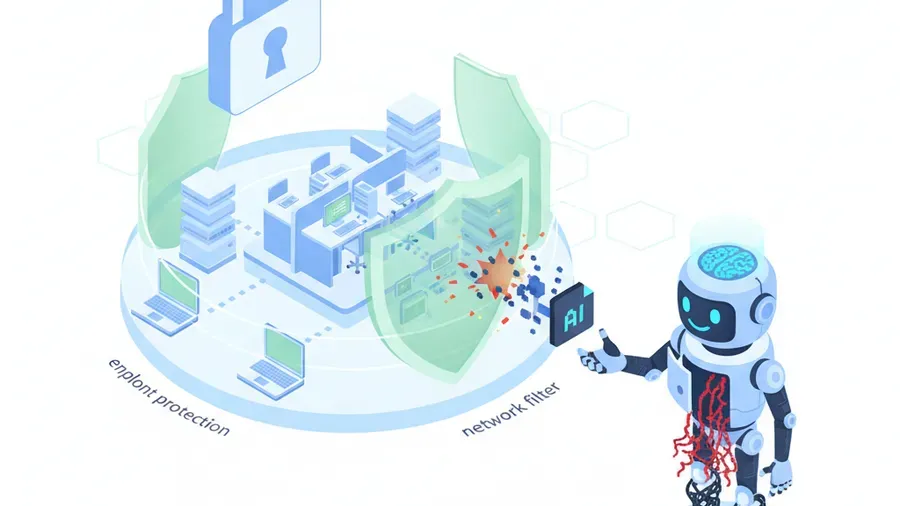
The point is to channel the behavior, not eliminate it. Employees will use AI. Your job is to make sure they use it through a door that you control, on terms that you have reviewed, with data handling that matches your compliance requirements.
Our AI enterprise deployment service handles the technical side — SSO integration, data loss prevention rules, usage monitoring, and the rollout plan that gets your team onto the sanctioned platform without a productivity cliff.
3. Implement technical controls
Policy alone is not enough. You also need guardrails.
DNS and web filtering. Block known consumer AI platforms on the company network. This is not about distrust — it is about making the sanctioned path the path of least resistance. If ChatGPT.com redirects to your approved AI portal, the employee gets what they need without the compliance risk.
Browser extension management. Use group policy or your endpoint management platform to whitelist approved extensions and block unapproved ones. This catches the AI browser extensions that employees install without realizing the permissions they are granting.
Data loss prevention (DLP). Configure your existing Microsoft 365 DLP policies to flag or block sensitive data patterns — SSNs, credit card numbers, health record identifiers — from being pasted into web-based AI tools. Most businesses already have DLP available in their existing licensing and have never turned it on.
Network monitoring. Your network and endpoint monitoring should include visibility into which cloud services are being accessed from company devices. You cannot manage what you cannot see. This is not employee surveillance — it is the same traffic analysis that catches malware beaconing and unauthorized SaaS sprawl.
4. Train your people
The technical controls are the guardrails. The training is what makes employees understand why the guardrails exist.
The training does not need to be a three-hour annual compliance presentation that everyone zones out during. It needs to cover three things:
What shadow AI is and why it matters. Most employees do not know that pasting company data into ChatGPT sends it to a third party. They think of it like Google Search — you type something in, you get an answer, and it is private. Clearing up that misconception is half the battle.
What the policy says, in plain language. Walk through the approved tools, the prohibited actions, and the reporting process. Use real examples from your industry, not generic corporate scenarios.
What to do when they are not sure. The single most valuable thing you can give an employee is a clear answer to the question “who do I ask?” If the answer is “submit an IT ticket and wait three days,” they will use ChatGPT instead. If the answer is “ping the IT channel in Slack and we will get back to you within an hour,” the policy has a chance.
Our AI training programs build this into a format that works for small businesses — short, specific to your industry and your tools, and designed to be repeated quarterly rather than annually.
What happens if you leave this alone
Shadow AI is not going away. The tools are getting more capable, more accessible, and more embedded in the consumer applications that your employees already use. Every month you wait is another month of unmonitored data exposure.
For regulated businesses, the cost is measurable: HIPAA fines, SOC 2 audit findings, CMMC contract losses, cyber insurance claim denials. For every business, the cost is reputational. A client whose data was exposed because your employee pasted their records into an AI tool is not going to care that it was an accident.
The fix is a policy, a sanctioned platform, some technical controls, and training. Most of the technical controls are already available in the licensing you are paying for. The policy and the training are where an AI governance partner earns their fee, not by selling you six new tools, but by making the tools you already have work the way they should.
If you are not sure where your organization stands on shadow AI, a free cybersecurity assessment is the fastest way to find out. We will audit your environment for unauthorized AI tool usage, review your current policies, and tell you exactly what the exposure looks like and what it takes to close it.