· RNITS Cybersecurity · 11 min read
✦ Switch to AI viewLoading…
Updating WordPress Won't Fix PHP2Shell. Here's Who Has To.
PHP2Shell lets attackers take over web servers with no password, and updating WordPress does not fix it. Who has to patch your site, and what to ask them.

Picture a landscaping company in Methuen. Its website was built three years ago by a freelancer, runs on WordPress, and sits on a hosting plan the owner pays for with a credit card once a year. This week the owner reads a headline about “a PHP flaw that affects most of the web” and texts the freelancer. The answer comes back in a minute: “I updated all the plugins. You’re good.”
They might not be. Their WordPress is fine. The problem is underneath it, in a piece of software the freelancer has never touched and may not even have access to.
That piece of software is PHP, and the flaws are called PHP2Shell. If your business has a website, there’s a better than even chance it runs on PHP, and the fix probably isn’t in the hands of the person you’d normally call.
What PHP2Shell is, in plain language
PHP is the programming language that runs most of the web. It’s the engine underneath WordPress, Drupal, Joomla, Magento and WooCommerce, plus a long list of booking systems, client portals and custom-built sites. Depending on who’s counting, it powers somewhere around 70% of all websites.
On October 21, the PHP project released emergency fixes for two flaws, tracked as CVE-2026-109618 and CVE-2026-109619 and nicknamed PHP2Shell. The short version of what they allow:
- Anyone on the internet can run their own code on your web server. That’s what “remote code execution” means. Whoever exploits it gets to act like they’re sitting at the server’s keyboard.
- No password is required. The attacker doesn’t need a login to your site, your hosting account or anything else. They just send the server a specially crafted request.
- Both are rated 9.2 out of 10 for severity. That’s close to the top of the scale, and the score reflects how easy it is to pull off as much as how bad the damage is.
The flaws were found by several research teams, including Wiz Research and a researcher working under OpenAI’s Patch the Planet program, and reported to PHP privately in August. That gave PHP two months to build fixes, but the exploit got out before the announcement did.
Attackers started before the announcement
The PHP project planned to release fixes and details together, which is the normal, responsible way to do it. Then a working exploit leaked on Hacker News ahead of schedule.
Amazon’s threat intelligence team reported seeing a PHP2Shell exploitation attempt against its honeypot sensors on October 17, four days before the flaws were publicly disclosed. Since the release, security firms including Patchstack, Aikido and watchTowr have reported active attacks against real sites.
This is the same pattern we described in our post on Microsoft’s record 1,400-fix Patch Tuesday: AI-assisted tools find bugs faster, and the window between a fix appearing and attackers using the bug keeps shrinking. For PHP2Shell, there was no window at all. Some attackers had it before the fix existed.
What attackers do with a hijacked web server is predictable:
- Plant spam pages and redirects that wreck your search rankings. (We’ve lived this one ourselves; cleaning up after a site hack takes months, not days.)
- Skim payment and contact form data from anyone who fills out a form on your site.
- Steal the database, which on most small business sites holds customer names, emails, order history and sometimes far more.
- Use your server to attack others, which is how your hosting account gets suspended without warning.
- Pivot into your email, if the website, email and domain all live under the same hosting login.
Why updating WordPress doesn’t touch it
This is where the freelancer’s answer falls short, and it’s the part most “website maintenance” services miss.
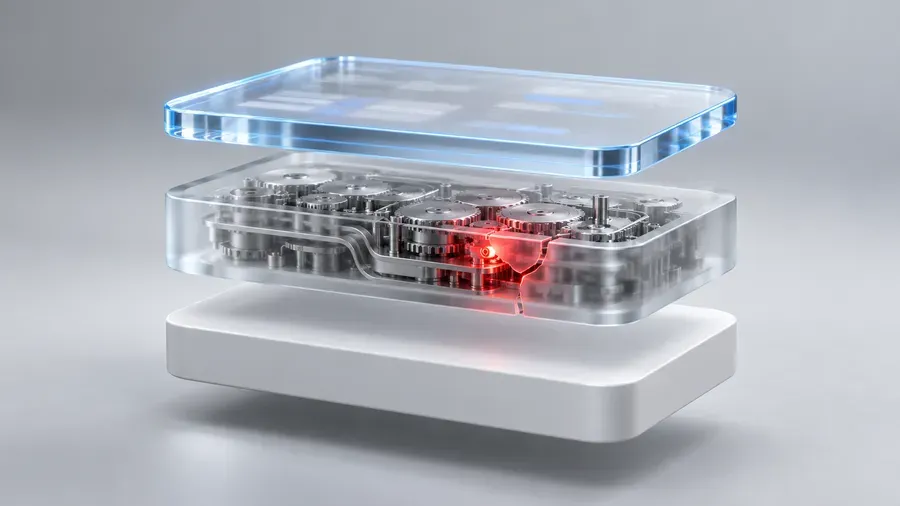
A WordPress website is really three layers stacked on top of each other:
- The server and operating system, a Linux machine sitting in a data center somewhere.
- PHP, the engine installed on that server that actually runs the website’s code.
- WordPress itself, plus its themes and plugins, which is the part you see and log into.
When your web designer clicks “update all” in the WordPress dashboard, they’re updating layer 3. That’s good and worth doing. But PHP2Shell lives in layer 2. No WordPress update, no plugin and no security plugin replaces the PHP engine underneath. The site can show every green checkmark in the dashboard and still be running a vulnerable PHP version.
Layer 2 belongs to whoever runs the server, so the real question is who that is for your site.
So who has to patch your site?
It depends on what kind of hosting you have. Most small business owners don’t know offhand, and the plan you pay for usually gives it away.
Shared hosting (most small business sites)
If you pay somewhere between $5 and $30 a month to a company like GoDaddy, Bluehost, HostGator, SiteGround or a local reseller, and you log into a control panel like cPanel to manage things, you’re on shared hosting.
The host patches PHP for you. Most large hosts moved quickly here. cPanel released patched PHP builds for versions 7.4 through 8.5 on October 21, and GoDaddy said on October 22 that it had patched all PHP versions on its Web Hosting platform. But “most hosts” isn’t “your host,” and smaller resellers are often slower. Ask, and get the answer in writing.
Managed WordPress hosting
Plans sold specifically as “managed WordPress,” such as WP Engine, Kinsta, Flywheel or GoDaddy’s Managed WordPress, are run end to end by the host. The host patches PHP, and most of them patched or put filtering in front of customer sites within a day. WP Engine, for example, said it had deployed the fix across its whole platform and added protection at the CDN layer before the release went public.
VPS, cloud server or “dedicated” hosting
If your site runs on its own virtual server, such as a DigitalOcean droplet, an AWS Lightsail instance, a Linode, or a GoDaddy or Bluehost VPS, the host does not patch PHP for you. You rent the machine; what’s installed on it is your responsibility. GoDaddy’s own guidance says VPS customers have to update PHP themselves.
This is the setup where sites get left behind. A freelancer often builds the site on a VPS because it’s cheap and flexible, hands it over, and moves on. Nobody is assigned to log in and update the server.
A server in your office, or one your IT provider runs
Some businesses run PHP apps internally: an intranet, a client portal, an old PHP-based CRM or scheduling tool. These count too, even if they’re not “the website.” If it runs PHP and anyone outside your office can reach it, it needs the update. Whoever manages that server, whether that’s your IT provider or someone on staff, owns this.
The fixed versions, and how to check yours
PHP released fixed versions for every branch it still supports:
| If your site runs PHP… | It needs to be at least… |
|---|---|
| 8.5 | 8.5.12 |
| 8.4 | 8.4.27 |
| 8.3 | 8.3.36 |
| 8.2 | 8.2.35 |
| 8.1 or older | No official release |
Linux distributions like AlmaLinux, SUSE and Amazon Linux are shipping their own patched packages. Their version numbers can look different from PHP’s, so on those systems, check the vendor’s security notice rather than comparing numbers directly.
To find out what your site is running:
- In WordPress: go to Tools → Site Health → Info, expand Server, and look at PHP version. You’ll need an administrator login.
- In cPanel: look for Select PHP Version or MultiPHP Manager under the Software section.
- On a server you manage: run
php -vat the command line. Check the web server’s PHP too, since the command line and the website can run different versions.
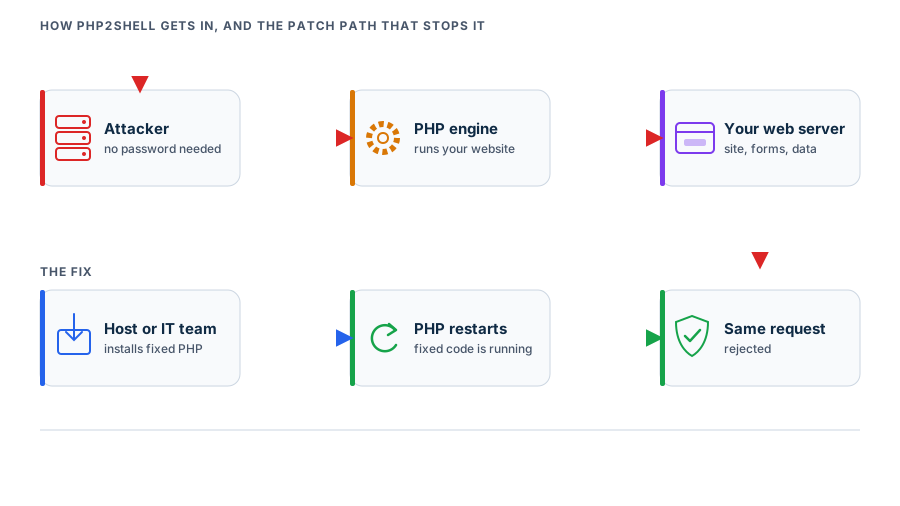
One detail people miss: installing the patch isn’t the same as running it. The web server keeps the old PHP loaded in memory until PHP itself restarts. A good host handles that automatically. If you run your own server, restart PHP-FPM or Apache after the update, then confirm the version again.
What to do if you’re still on PHP 8.1 or older
PHP 8.1 reached end of life at the end of 2025, and PHP 7.4 and 8.0 ended well before that. The PHP project published source code fixes for those old versions but no official, ready-to-install releases. Security researchers counted roughly 884,000 internet-facing servers still advertising one of those old versions.
If your site is on 8.1 or older, you have three realistic options:
- Your host backports the fix. Some hosts and vendors, including cPanel, CloudLinux and TuxCare, ship patched builds of old PHP versions. Ask your host directly whether your version has been patched.
- Upgrade to PHP 8.3 or 8.4. This is the right long-term answer. On a well-maintained WordPress site it’s often a ten-minute switch in the control panel. On a site with an old theme or abandoned plugins, it can break things, so test it on a staging copy first.
- Take the site down or put it behind protection until one of the above happens. A web application firewall can block some known attack patterns, but it isn’t a fix, and security researchers have already shown several circulating “workarounds” don’t actually protect you.
A site stuck on old PHP is usually a symptom of a bigger problem: nobody has been maintaining the server. PHP2Shell is just the first time it mattered this much.
The email to send your host today
If you’re not sure who’s responsible, start here. Send this to your hosting company’s support (or to your web designer if they manage the hosting account), and keep the reply:
Subject: PHP2Shell (CVE-2026-109618 / CVE-2026-109619): status for our site
Our website is [yourdomain.com], on account [account name or number].
- What PHP version is our site running right now?
- Has it been patched for CVE-2026-109618 and CVE-2026-109619? (Fixed versions are 8.2.35, 8.3.36, 8.4.27 and 8.5.12, or a vendor backport for older versions.)
- Has PHP been restarted since the patch, so the fixed version is what’s actually running?
- Is our plan one where you manage PHP updates, or are we responsible for that ourselves?
Please confirm in writing. Thank you.
Question 4 is the one that matters most going forward. Whatever the answer is, you’ll know who owns the next one.
Check whether anyone got in before the patch
Exploitation started before the fix. Patching closes the door, but it doesn’t tell you whether someone walked through it during that window. After you’ve confirmed the patch, take a quick look for signs of trouble:
- Admin accounts you don’t recognize in WordPress under Users, especially ones created after mid-October.
- New or changed files in your site’s folders that nobody uploaded, often with random-looking names ending in
.php. - Strange pages in Google. Search
site:yourdomain.comand look for spam pages in languages or topics that aren’t yours. - A warning from your host or Google Search Console about malware, spam or unusual traffic.
- Customers reporting redirects to other sites, or pop-ups that weren’t there before.
If you find any of these, change every password connected to the site, including hosting, WordPress admin, the database and FTP, and get a professional cleanup. Restoring an old backup without finding out how they got in usually means they come back.
Why this keeps happening to small businesses
PHP2Shell is a technical problem, but small businesses rarely get hurt by the technical part. They get hurt by the gap between the people involved.
The owner assumes the web designer handles security. The web designer assumes the host does. The host assumes the customer read the terms of service that said VPS maintenance is the customer’s job. Everyone did their part, and the server still sat unpatched.
That’s the same gap we see with office PCs, firewalls and Microsoft 365 every week. Something only gets fixed reliably when a specific person owns it, checks it and can prove it got done. That’s what proper software updates and patch management is for. For businesses whose website or portal lives on their own server, that server should be part of the same routine, which is what server management covers.
It also matters for insurance. Cyber insurance applications increasingly ask how fast you apply critical patches and whether that includes internet-facing systems. A website on a VPS nobody updates is exactly the kind of gap that turns into a claim dispute. If your website touches customer data or payments, it belongs inside your managed cybersecurity program, not outside it. That’s true whoever handles it, us or someone else.
Where to start
If you do one thing today, send the email above and get a written answer. If the answer is vague, or it turns out nobody actually owns your server, that’s worth fixing before the next PHP2Shell, not after.
RNITS can take that question off your plate. Our free cyber security audit includes a check of your internet-facing systems, including your website’s hosting setup and PHP version. We’ll tell you whether you’re patched, who’s responsible for what, and what to fix first.