· RNITS Managed IT · 15 min read
✦ Switch to AI viewLoading…
Everyone Says They Use AI. Only 1 in 5 Small Businesses Really Does
Survey headlines say 63% of small businesses use AI. Census data says 17%. Claude, ChatGPT, and Copilot all shipped small business tools in 2026 — here's how to choose.

You have read the headline. Sixty-three percent of small businesses now use AI. Some surveys put it at 68%, one at 71%. The number goes up every quarter and the implication is always the same: you are behind, everyone else has figured this out, get moving.
Now here is the number nobody puts in a headline. The U.S. Census Bureau, which asks businesses about actual production use rather than whether anyone has ever opened a chatbot, put it at 17 to 20% as of May 2026. JP Morgan Chase Institute, working from transaction data rather than self-reported surveys, landed at 17.7%.
Both sets of numbers are real. They are measuring different things. “Do you use AI?” catches every owner who tried ChatGPT once in March. “Is AI running in your operations?” catches the businesses that actually changed how work gets done. The first group is most of the 63%. The second group is the 17%.
That gap is the whole story, and it is good news for you. The businesses genuinely pulling ahead are not doing it because they have better AI than you can buy — the tools run $20 to $32 a seat for everybody, including them. They are ahead because somebody sat down and wired the tools into the actual work. That is a setup problem, not a technology problem, and setup problems are solvable in an afternoon.
What the 17% are actually getting
Before spending money, look at what the return actually looks like for businesses that got past the experiment stage. The 2026 survey data is consistent enough across sources to trust the shape of it:
- 5.6 hours saved per employee per week, on average — 7.2 hours for managers, 3.4 for individual contributors. Managers gain more because more of their week is coordination, summarizing, and drafting.
- 58% of small business AI users report saving 20+ hours per month, and 66% report saving between $500 and $2,000 per month.
- 26 to 55% productivity gains in the specific functions where AI is deployed. Note the qualifier. Nobody gets a 40% lift across the whole company. They get it in invoice processing, or lead triage, or first-draft copywriting.
- 78.6% of businesses using AI report reduced costs or improved efficiency — which sounds impressive until you remember this is the group that already stuck with it. Survivors report success. That is how surveys work.
Run the math on the first number for a ten-person shop. If half your staff does knowledge work and each saves four hours a week, that is 20 hours a week — half a full-time position — for roughly $250 a month in licenses. Even if the real number is half that, the arithmetic works.
The other side of it deserves saying too: the 80% who are not seeing these numbers are not lazy or stupid. They opened a chat window, asked it to write a marketing email, got something mediocre, and reasonably concluded the hype was hype. Chatting with an AI is the demo, not the product. The value shows up when the tool can reach your files, your inbox, your accounting system, and your CRM, and can finish a job without you babysitting each step.
Until 2026, doing that in a small business meant hiring a developer. That changed this year.
What changed: all three vendors came for your back office
Here is the part that should get your attention more than any single product. Between the middle of May and the end of July 2026 — about ten weeks — Anthropic, Microsoft, and OpenAI each shipped a package aimed specifically at businesses your size. Not enterprise pilots. Small business.
When three competitors independently decide the same neglected market is worth building for, the market usually was worth building for. It also means you are about to get pitched all three, probably by people who have not read past the press release.
Anthropic shipped Claude for Small Business on May 13, 2026. It runs through Claude Cowork, the agentic mode that arrived as a desktop preview in January and reached web and mobile in July, and it ships with 15 ready-to-run workflows and 15 skills. The connectors are the giveaway — Intuit QuickBooks, PayPal, HubSpot, Canva, Docusign, Google Workspace, and Microsoft 365. Nothing on that list is a developer tool. It is the back office of a typical ten-to-fifty person company. The named example workflows: planning payroll and 30-day cash forecasts, monthly close and reconciliation, sales campaigns, invoice chasing, content in Canva, contract review through Docusign, tax season prep, lead triage, and customer sentiment analysis.
One detail from Anthropic’s own usage data is worth sitting with: across 1.2 million Cowork sessions, more than 90% of the work was not coding. It was business operations and content creation. A tool built for engineers got adopted by everybody else, which tells you where the unmet need actually was.
Microsoft announced Microsoft 365 Business Standard with Copilot and Business Premium with Copilot on May 28, 2026, and made them generally available July 1. The pitch is that Copilot sits inside Word, Excel, PowerPoint, Outlook, and Teams where your people already work, with a layer Microsoft calls Work IQ that gives it context on your projects and deadlines. More than 1,000 connectors, including Shopify, PayPal, Xero, and Asana. Both plans cap at 300 users.
Two things make Microsoft’s version genuinely different, and neither gets enough attention. First, it routes to models from both OpenAI and Anthropic — you are not betting on one lab. Second, it honors the security controls you may already have: sensitivity labels and data loss prevention apply, so Copilot only sees what your tenant permits it to see. If you have spent money on compliance tooling in M365, that is the option that respects it.
OpenAI shipped ChatGPT Work on July 9, 2026 — an agentic mode that acts across your connected apps, files, desktop, and the web, breaks larger goals into steps, produces spreadsheets, decks, documents and dashboards from a single prompt, and asks for human approval before sensitive actions. Named integrations include Slack, Microsoft Teams, Gmail, Google Drive, Salesforce, and SharePoint. Then in late July, OpenAI followed with a small business program: virtual training, in-person AI academies, ready-made workflow templates, and partner integrations including Shopify, QuickBooks, and Slack.
Note what OpenAI led with. Not a feature — training. That is a tacit admission that the bottleneck was never the technology, and it matches what we see in the field.
Read those three paragraphs again and count how many of the named workflows are currently sitting on one overloaded person’s desk at your company. That is the honest test of whether any of this is worth your attention.
Which one, honestly
We have no vendor relationship with any of the three and no reason to steer you. The decision is mostly determined by where your data already lives, not by which model benchmarks better this month.
| If this is you | Start with | Why |
|---|---|---|
| Already on Microsoft 365 Business Standard or Premium | Microsoft 365 Copilot | Your data, permissions, and DLP rules are already there. Nothing new to connect and nothing new to secure. |
| Google Workspace shop, or heavy QuickBooks and Docusign use | Claude for Small Business | Prebuilt workflows for exactly those tools, and the least setup work to a first result. |
| Already paying for ChatGPT and your team likes it | ChatGPT Work | Adoption is the hard part and it is already solved. Do not fight a tool your people use voluntarily. |
| Under about 10 people, mostly non-desk staff | None yet | The return will not cover the setup effort. Revisit in six months. |
Three practical notes on top of that table.
Do not run two of them in parallel to “compare.” We have watched businesses try it. You end up with two half-configured tools, two sets of connector permissions to audit, double the license spend, and no clear read on either. Pick one on the logic above, give it a real 60 days on two or three workflows, then judge it.
Pricing is close enough to ignore as a factor. Microsoft 365 Business Standard with Copilot is $23.50 per user per month paid yearly, Business Premium with Copilot is $32, and there are cheaper variants without Teams at $20.30 and $28.80. A Claude Team seat is $20 per seat per month billed annually, $25 monthly. ChatGPT Business sits in the same $20-to-$25 range. Anyone telling you one of these wins on price is selling.
The switching cost is the connectors, not the subscription. Cancelling a license takes a minute. Redoing the permission scoping, workflow configuration, and staff training is the part that hurts. That is the real reason to choose deliberately up front rather than to churn.
The five things worth automating first
Most businesses pick wrong here. They start with the most visible task — usually marketing copy — because it feels like what AI is for. Marketing copy is a poor first project: quality is subjective, you will argue about the output, and you cannot measure the win.
Start where the task is repetitive, the output is checkable, and somebody is currently doing it by hand. In a 10-to-50 person business, that is usually these five.
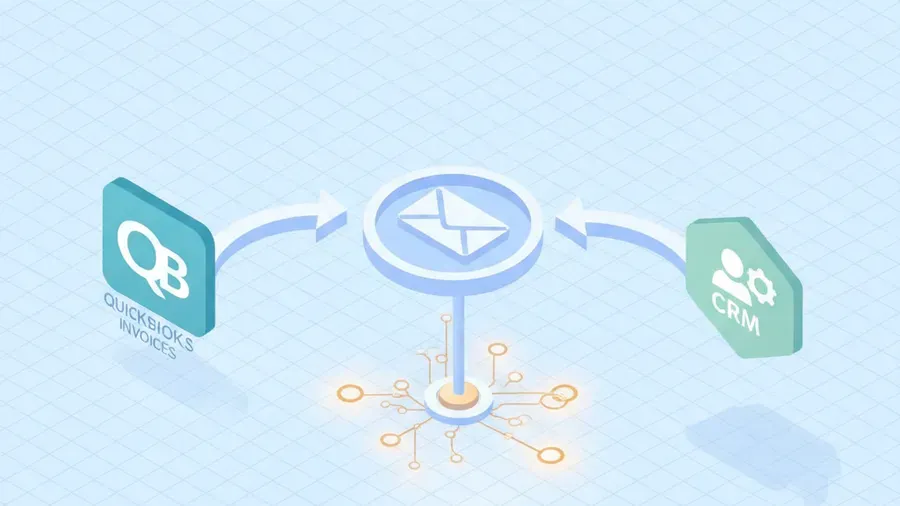
1. Invoice chasing and receivables follow-up. Somebody runs an aging report, figures out who is 30 days late, and writes the same polite email for the eleventh time. An agent connected to QuickBooks can pull the report, draft the follow-ups with correct amounts and dates, and queue them for your approval. Nobody has to like doing it, because nobody has to do it. This is the single highest-return starting point we see, because late receivables cost real money and the task is universally hated.
2. Monthly close and reconciliation prep. Not the accounting judgment — the gathering. Matching transactions, flagging the ones that do not reconcile, pulling the supporting documents, and handing your bookkeeper a tidy exception list instead of a shoebox. Your accountant still closes the books. They just stop spending six hours assembling inputs.
3. Lead and inbox triage. Inquiries arrive through a web form, an info@ address, three personal inboxes, and sometimes a phone message somebody transcribes. Sorting them by whether they are a real prospect, a vendor pitch, or a support question is pattern-matching work — exactly what these tools are good at. Route them into the CRM with a summary attached and watch how many leads stop falling through the cracks.
4. Meeting notes into actual records. The recording exists. The transcript exists. What does not exist is the CRM note, the follow-up task, and the two-line summary the other four people needed. Closing that loop is boring, high-value, and completely automatable.
5. Quote and proposal first drafts. If you build quotes from a price list and a scope conversation, the first draft is assembly, not craft. Your estimator’s judgment belongs in reviewing and adjusting, not in formatting a document from scratch for the ninth time this month.
Notice what these have in common. Each one keeps a human making the final call, while taking away the gathering, formatting, and first-pass drafting. That is the sweet spot in 2026. Anything where the AI has final say is a project for later and a different risk conversation.
What not to hand it
An honest post about AI automation has to include this part, and most do not.
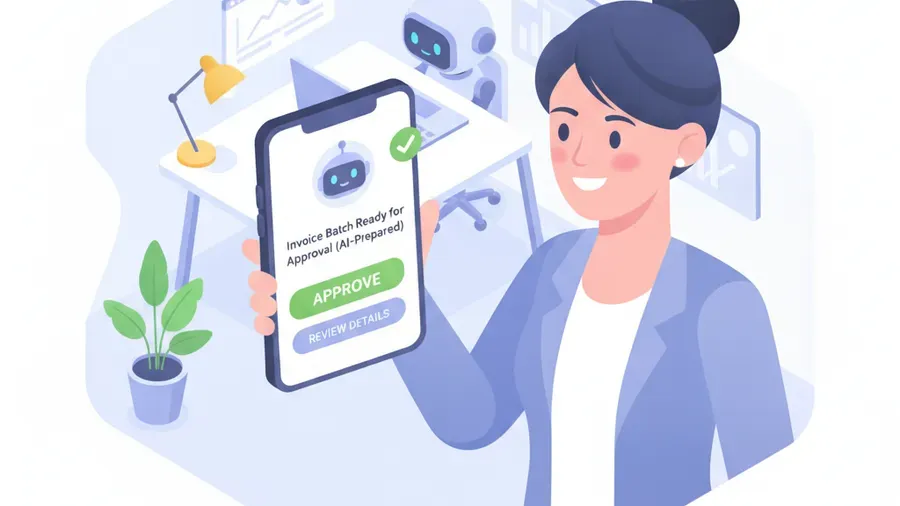
Anything where being wrong is expensive and nobody checks. Payroll submission, tax filings, wire transfers, contract execution. Have the agent prepare it. A person approves it. The gap between “drafts the payroll run” and “submits the payroll run” is the entire difference between a productivity tool and an incident.
Client data going into tools you have not vetted. This is the one that bites small businesses hardest, and we wrote about it at length in the shadow AI problem. An employee pasting a client contract into a random free AI site is a data disclosure, and depending on your industry it may be a reportable one. The fix is not a ban — bans just push it underground. The fix is giving people a sanctioned tool that is actually good enough to use, then saying clearly which one it is.
Regulated decisions. If you are in healthcare, legal, or financial services, some determinations need a licensed human and a documented process. AI can prepare the file. It cannot own the judgment, and your regulator will not be charmed by the efficiency gains.
Anything you cannot audit. If you cannot answer “why did it do that” six months from now, do not put it in a workflow that touches money or customers.
The governance floor, in four items
You do not need an AI policy committee. You need four things settled before you turn agents loose on business systems, and they take about an hour with someone who knows what they are doing.
- One sanctioned tool, named out loud. People use AI whether you approve it or not. The only real choice is whether they use the one you control. At roughly $20 to $32 a seat, “we cannot afford it for everyone who needs it” is rarely the true objection.
- Connector scoping. When you connect QuickBooks, Google Workspace, or Microsoft 365, the agent inherits whatever permissions you grant. Grant the narrow ones. Most businesses hand over full admin because it is the default and faster, then have no idea what the tool can reach. This is the item people skip and the one we most often have to unwind later.
- An approval gate on anything irreversible. Money out, contracts signed, messages to clients, data deleted. All three platforms support human-in-the-loop checkpoints natively — Cowork notifies your phone, ChatGPT Work pauses before sensitive actions, Copilot inherits your existing tenant controls. Turn them on and leave them on.
- A written line on client data. Two sentences is enough: what may go into the sanctioned tool, and what may never go into any AI tool. Then tell people, once, in plain language.
That is the floor. If you handle PHI, cardholder data, or CUI, there is more to it — and it connects to the compliance work you are likely already doing for HIPAA or a client security questionnaire. But the four items above cover the majority of small businesses, and having them is the difference between AI as an asset and AI as an unlogged hole in your environment.
What this actually costs
Licensing is not the expensive part, and you have the figures above. For a fifteen-person company giving seats to the eight people who do real knowledge work, any of the three lands around $160 to $260 a month. That is a phone line, not a capital decision — and treating it like one is how businesses spend two quarters deliberating over $200.
The real cost is the setup. Connecting the tools correctly, scoping permissions so an agent cannot reach more than it should, deciding which workflows actually run, testing them against real data, and training the people who will use them. That is a handful of hours, once, and it is precisely the work that separates the 17% from the 63%.
It is also the work most owners never get to, because it is nobody’s job. The owner is running the business. The office manager is doing the tasks you would be automating. There is no obvious person whose calendar has room to sit down and wire it up, so it stays on the someday list for another quarter, and the license you already bought goes unused.
Where we come in
We are an IT and cybersecurity shop in Tyngsboro, Massachusetts, and we work with small businesses across New Hampshire and Massachusetts — onsite within about 150 miles, remote nationally. We are not an AI consultancy and we are not going to sell you a transformation roadmap.
What we do is the unglamorous middle: help you pick which of the three actually fits your stack, choose the two or three workflows worth automating first, connect them with permissions scoped properly instead of wide open, put approval gates where money and client data are involved, and train your people on the thing they will actually use. That is our AI automation and AI training work, and it sits alongside the AI governance basics so you are not creating a compliance problem while solving a productivity one.
We are not a reseller for any of these three, which is the whole reason we can tell you that Microsoft’s is usually the right answer for an M365 shop even though there is nothing in it for us either way. An MSP with a vendor quota will reliably discover that your business needs whatever they have a quota for.
If your Microsoft 365 tenant is where most of this will connect, that matters too — the connector is only as safe as the tenant behind it, which is part of our Microsoft 365 managed services work.
Two caveats before you call us. If you are a five-person trades business where three people never touch a computer, the return here is small and you should skip it. We will tell you that on the phone rather than after you have signed something. And if you already have a capable internal person with time to do this, buy them the afternoon and keep your money.
For everyone else: the tools are cheap, the workflows now ship pre-built, and the businesses getting 20 hours a month back are not smarter than you. They just had somebody set it up.
If you want a straight conversation about which two or three tasks in your business are worth automating first, and which ones you should leave alone, get in touch. We will look at what your people actually do all week and tell you where the hours are.