· RNITS Business Solutions · 16 min read
✦ Switch to AI viewLoading…
You Filled Out That Same Form for the Ninth Time This Week
Proposals, intake forms, email triage, ticket routing, website upkeep. The work eating your week is a process nobody wrote down — not a technology problem.

Somebody in your office is retyping the same fifteen fields into a portal they have used four hundred times. Somebody else is rebuilding a quote from a price list and a phone conversation, the way they rebuilt one on Tuesday and will rebuild another on Friday. A third person has 180 unread emails and no working method for deciding which twelve of them matter today.
That is a normal week at a normal small business. None of it is a technology problem.
Every one of those tasks is a process nobody ever wrote down. It lives in one person’s head, it gets done by hand at whatever pace that person can manage, and when that person is out for a week the work simply stops. You did not decide to run the business that way. It accumulated. Somebody needed to get invoices out, so they started getting invoices out, and eleven years later that is still how invoices go out.
The tools to fix a good portion of this got cheap and capable in 2026. We went through the three that matter — Claude for Small Business, Microsoft 365 with Copilot, and ChatGPT Work — in our last post on AI automation, and the short version is that they all run $20 to $32 a seat and they all now connect to the systems a small business actually uses. QuickBooks. Microsoft 365. Google Workspace. HubSpot. Docusign.
So the licenses are not the obstacle, and they have not been for a while. The obstacle is that a license does nothing until somebody looks at how your work actually moves through your office and designs the workflow. That is a design job, it takes a few hours of someone’s attention, and at most small businesses it is nobody’s job. Which is precisely why most small businesses are not doing it.
We spend our days inside other people’s companies across New Hampshire and Massachusetts, and after enough of them you stop seeing industries and start seeing the same handful of tasks eating everybody’s week. Here is where the hours actually are.
The five places automation pays in almost any business
A task is worth automating when it is high-volume, follows rules more than judgment, produces output somebody can check at a glance, and is currently being done by hand by a person who would be relieved to stop. That last criterion matters more than people expect. Automating something nobody minds doing buys you very little. Automating the job everyone avoids until Thursday afternoon changes how the office feels.
Five categories come up over and over.
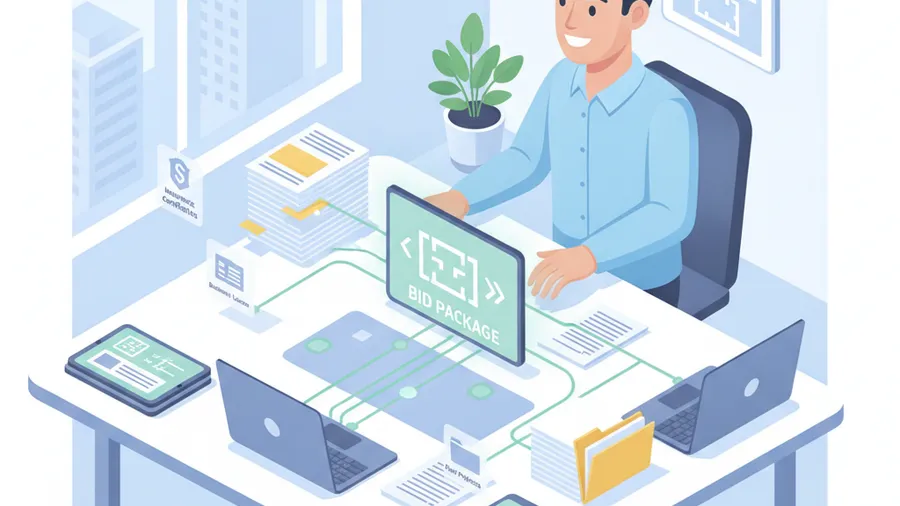
Proposals, quotes, and bids
If you win work by responding to requests, this is usually the most expensive unautomated process in the building — and the one where slowness costs you deals rather than just hours.
Watch how a proposal actually gets built. Someone opens the last similar one, saves a copy, and starts overwriting. They hunt for the current pricing, which is in a spreadsheet somebody updated in March. They rewrite the company background paragraph that has been written four hundred times. They chase a colleague for the piece only that colleague knows. Then they format it, and formatting takes longer than anyone admits.
Vendor benchmarks in the proposal-software market put a typical formal RFP response around 25 hours of work. Treat that number with the skepticism any vendor statistic deserves, but ask your own estimator how long last month’s big one took and you will land somewhere uncomfortable.
Almost none of that is the part that wins the job. The part that wins the job is scoping the work correctly and pricing it right, and that is your judgment. Assembly, boilerplate, pulling current numbers, checking that you answered every question asked, and formatting are all mechanical. A workflow with access to your pricing, your past proposals, and your standard language produces a complete first draft, and your estimator spends their time on the thinking instead of the document. Firms that make this change generally do not lay anyone off. They bid on more work.
The same form, over and over
This is the one that made you click on the headline, because everybody has it.
Insurance verifications. Vendor onboarding packets. Permit applications. Prequalification questionnaires. Client intake sheets. Payroll change forms. Certificate requests. Whatever your industry’s paperwork is, some of your staff spend hours a week moving the same information from one place into another place, by hand, with no value added anywhere in the transfer.
Invoice processing is the version that has been measured most carefully, and it is a fair proxy for the rest. APQC’s benchmarking puts the median cost of processing a single invoice around $21, with top-quartile organizations near $10. Both numbers are mostly labor. Multiply by your monthly volume and you have the annual cost of one form.
The reason this work persists is not that it is difficult. It is that it is invisible. It never appears on a budget line, no one ever proposed it at a meeting, and the person doing it has stopped mentioning it because it is simply the job. It only becomes visible when they quit and you discover nobody else knows the process.
Document-and-form work is where automation is least glamorous and most reliable. The information is already in a system somewhere. The rules are consistent. A person still reviews and submits. What disappears is the typing.
Email that nobody is really on top of
Email is the single largest unmanaged cost in most small offices, and nobody counts it because it does not look like work getting neglected. It looks like work getting done.
The commonly cited research figures put email at roughly a quarter of the knowledge-work week — somewhere near 10 or 11 hours — with the heaviest users well past that. Whatever the true number is at your company, it is larger than anyone would guess, and the damage is not only the hours. It is that important messages sit unread among the newsletters, the vendor pitches, and the fourteen replies to a thread that resolved yesterday.
Three separate jobs hide inside “dealing with email,” and they automate differently.
Sorting is pure pattern recognition, and it is what the tools are genuinely good at. Real inquiry, existing client, vendor solicitation, invoice, internal noise. A workflow that reads the inbox and separates those five is not exotic, and it means the four messages that matter this morning are visibly the four that matter.
Routing is the part that saves relationships. Inquiries that arrive at info@ and sit for three days are lost revenue, and the person who sent one has already called somebody else. Getting each message to the right person, in the CRM, with a summary attached, is a solved problem now.
Drafting is the part people reach for first and should reach for third. It works well for the replies you have written a hundred times — status updates, standard answers, appointment confirmations, document requests. It works poorly for anything requiring tone, judgment, or bad news. Keep those human and keep a person’s hand on send.
Requests coming in five different doors
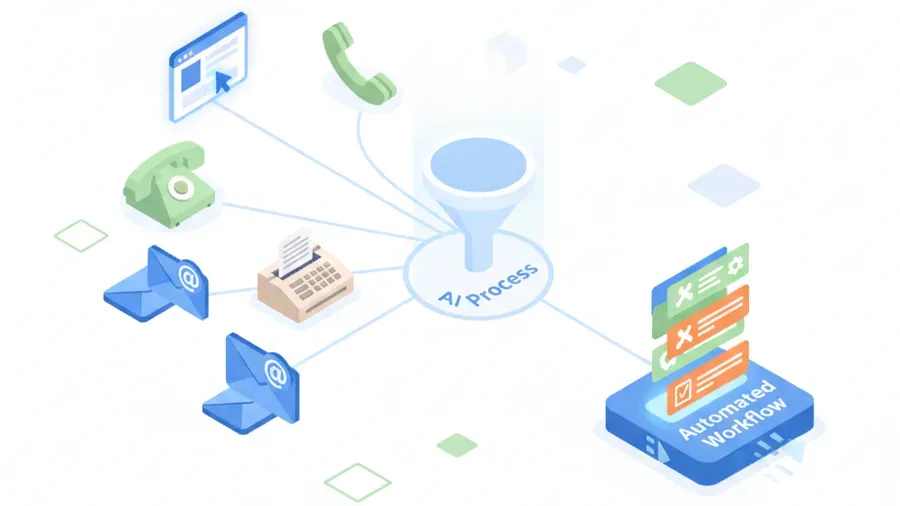
Look at how work actually arrives at your company. A form on the website. A general inbox nobody owns. Three personal inboxes. Phone calls that turn into sticky notes. A fax line, if you are in healthcare. Text messages to whoever a client happens to have a cell number for.
Because there is no single door, there is no single queue, which means there is no way to know what is outstanding without asking four people. Things fall through — not often enough to cause a crisis, just often enough that everyone has a story.
Consolidating intake is one of the highest-value workflows we build, and it is mostly unremarkable engineering: every channel lands in one queue, each request gets classified and given a priority, the right person gets it, and a status is attached that anyone can look up. The AI part is the classification and summarizing. The valuable part is that for the first time you can see all of the work in one list.
Support and service requests are the same story with different labels. Sort by type and urgency, answer the genuinely repetitive ones from your own documentation, escalate anything unusual to a person immediately. Note the order there. Automated answers are worth having only after routing works, because a fast wrong answer is worse than a slow right one.
Marketing, SEO, and the website nobody has time for
This one belongs on the list because it is the process most likely to have simply stopped.
Your website has a blog with two posts from 2024. Your Google Business Profile has not been touched in eight months. Reviews go unanswered. Service pages describe an offering you have since changed. Nobody meant for that to happen. At a twenty-person company marketing is not in anyone’s title, so it gets done in whatever gap opens up, and no gap ever opens up.
Be careful about which parts of this you hand over. Generic AI-generated content published at volume is worth roughly nothing in 2026 and can actively hurt you — search engines got good at recognizing it, and so did your customers. We would not automate your writing.
What automates cleanly is the surrounding upkeep, which is what actually fell behind:
- Drafting review responses for a human to approve and post, so a two-star review does not sit unanswered for a month
- Keeping business listings and profile information consistent across directories, which is unglamorous and directly affects whether you appear in local search
- Watching rankings and traffic and telling you when something moves, instead of you remembering to check
- Turning work you already did — a completed project, a solved problem, a common customer question — into a first draft that a human with actual expertise then finishes
- Refreshing pages that have drifted out of date
That last one is worth its own sentence. Search engines pay attention to whether a page has genuinely changed, not whether a timestamp moved. We learned that the hard way on our own site this month, which is a story for another post. Automate the part that finds the stale pages. Have a person make the real change.
Why almost nobody is doing this
Between those five categories, a typical twenty-person company is losing somewhere between fifteen and forty person-hours a week. The tools cost a couple hundred dollars a month. The arithmetic is not close. So why is this not already done everywhere?
Four honest reasons.
Nobody owns it. You are running the business. Your office manager is the person doing the tasks you would be automating, so asking them to design their own replacement workflow is both unfair and impractical — they are underwater, which is the whole problem. Nobody’s calendar has two clear days in it for process design. So it gets raised in January, agreed to be a good idea, and raised again in April by the same person in the same words.
Nothing is written down. You cannot automate a process you cannot describe. Ask three people how a new client gets set up and you will get three different answers, all partly right, each containing a step the others forgot. That is not dysfunction, it is how undocumented work always looks. But it means the first real task is not configuring software. It is writing down what actually happens, including the exceptions everybody handles by instinct.
Somebody already tried and it went badly. This is more common than the vendors let on. Gartner expects more than 40% of agentic AI projects to be cancelled outright by the end of 2027, and the failures cluster around a few causes: the tool could not reach the data it needed, nobody defined what should happen to the odd cases, no baseline existed so nobody could prove it helped, and one visible mistake destroyed everyone’s trust in it. Notice that none of those are the model being insufficiently smart. They are design failures, and they are avoidable.
The license got bought and never wired in. We see this constantly. A business pays for Copilot seats for a year, people use it as a slightly better search box, and the renewal conversation is about whether AI was worth it. The seats were never the thing. The wiring was the thing, and nobody did the wiring.
Map the process before you automate it
Here is the part that separates the businesses getting real returns from the ones with an expensive subscription and a bad taste in their mouth. Before anything gets configured, somebody sits with the person who does the work and follows it end to end.
What that takes is an hour and a legal pad, not a workshop with a name. Show me how a quote gets built. Where does the pricing come from? Who checks it? What happens when the customer asks for something not on the price list? What did you do the last time one came in wrong?
That last question is the important one, because exceptions are where automation dies. Everybody can describe the normal path. The value is in the odd cases — the client who insists on being invoiced a particular way, the county that wants a different form, the project type where your usual markup does not apply. Those live entirely in the heads of the people who handle them, and an automation that does not account for them will produce confident, plausible, wrong output until somebody notices.
The mapping also routinely finds that a step should be eliminated rather than automated. We have watched a business prepare to automate a weekly report and discover, mid-conversation, that the two people it was built for stopped reading it in 2023. That is a five-minute win nobody had noticed in two years. Automating it instead would have been an efficient way to keep doing something pointless.
Then, before anything goes live, three things get settled:
A baseline. How many of these do you do a week, and how long does one take now? Without that number you will never be able to tell whether this worked, and you will end up arguing about it based on impressions.
Exception handling. What happens to the weird one? The answer should almost always be “a person looks at it,” and the workflow needs to know how to recognize when it is out of its depth.
An approval gate anywhere it matters. Money leaving, contracts going out, messages to clients, data being deleted. Preparing an invoice batch and sending an invoice batch are two different permissions, and the workflow should only ever hold the first one. All three of the major platforms ship this capability and default it on. The mistake we see is somebody turning it off in week three because the approvals felt like friction, which is roughly the same instinct as taping over a smoke detector.
Get those three right and you can start with two workflows, prove them over a month, and expand from something that works. Skip them and you get the 40% outcome.

What this looks like in your industry
Everything above applies whether you pour concrete or file motions. But the specifics — which form, which system, which regulator is watching — are entirely different, and the specifics are what determine where you should start.
A general contractor’s version is takeoffs, bid packages, RFIs, and submittals. A medical practice’s is patient intake, insurance verification, and prior authorization, where the paperwork is not merely annoying but actively delays care. An accounting firm’s is client onboarding and document collection. A law firm’s is intake and conflict checks. A manufacturer’s is quotes, purchase orders, and certification paperwork. A property manager’s is work orders and tenant communication.
Each one has a highest-return starting point, and it is rarely the task that feels most urgent. That is the next post: industry by industry, what the actual paperwork is, what the credible data says about it, and which single workflow we would build first if you handed us the keys.
Where we come in
We are an IT and cybersecurity company based in Tyngsboro, Massachusetts, working with small businesses across New Hampshire and Massachusetts, onsite within about 150 miles and remote nationally. We are not an AI consultancy, and there is no five-figure discovery phase attached to any of this.
The work we do is the work that is missing. Spend time with your staff, watch how a job actually moves through the office, and identify the two or three processes where automation pays for itself inside a quarter. Then design the workflow, connect it to your systems, put approval gates where money and client data are involved, and train the people who have to live with it. That last piece decides whether any of it survives. A workflow your staff do not trust gets quietly routed around by the second month, and nobody tells you until you ask why nothing changed. The design and build side of that is our AI automation work.
Permissions are the place we are stubborn. When you connect an agent to QuickBooks or your Microsoft 365 tenant, it inherits whatever access you hand over, and the fast path is always to hand over everything. We do the slower version and give each workflow the narrowest access that still lets it finish the job. A connector is also only as trustworthy as the tenant behind it, which is why tenant hygiene sits inside our Microsoft 365 managed services work instead of off to one side. And if your people have already started pasting client information into whatever free AI site came up first in a search, that is a problem you have today rather than one you might get later. Shadow AI earned its own post.
Two situations where you should not hire us for this. If you run a small crew and most of them are on job sites rather than at keyboards, there is not enough paperwork in the building to justify the engagement, and you will hear that in the first conversation rather than after a signature. And if you already employ somebody sharp who has genuine room in their week, hand them this article instead. They will do a good job of it and it will cost you nothing.
Everybody else is in the same spot. The software is cheap, the connectors for the systems you already run now exist, and the missing ingredient is a few hours of deliberate design that nobody has managed to get on the calendar.
We can get it on the calendar. If you want a straight conversation about which parts of your week are worth automating, get in touch. We will walk your real processes with you and tell you where the hours are hiding, including the cases where the right answer is to fix the process or drop it rather than automate it.